
Copilot in Word: Draft, Rewrite, Summarize & Cite in Minutes
🛍️ Products Mentioned (9)
Try Consensus free or Pro with my link
The link to register and join the 30-day free trial. Experience Collective at
Nord VPN
Opus Clips
started with SEOWriting AI
Want to start a YouTube channel - I would start
Blog
Use the Free Prompt Builder
all the Prompts
In this video, you see how to use the paid version of Microsoft Copilot inside Word to speed up real business writing. This is not a feature tour. It is a practical walkthrough showing what Copilot does well, where it struggles, and how you should use it day to day in a professional setting. I start by drafting a two-page summary of the UK Modern Industrial Strategy 2025 directly inside Word. You will see why prompt precision matters, how Copilot defaults to older stored material if you are vague, and how to steer it back to the correct output. From there, I refine tone and structure, showing how Copilot can help you move quickly from a rough draft to something usable. Next, I demonstrate how Copilot handles rewriting and restructuring content, including turning bullet points into a narrative report. This is useful for policy papers, briefing notes, and internal reports, but it often takes more than one attempt. You will see why persistence and prompt quality matter, and why Copilot does not automatically learn your writing style. I then move on to risk management and formatting, showing how Copilot converts a list of risks into a structured table with likelihood and mitigation. This is effective for small sections, but you will also see the limits of Copilot’s context window when documents get larger. The video also covers summarising large documents by working outside the Word canvas and then pasting results back in. This mirrors how many professionals already use ChatGPT or Gemini, but within the Microsoft ecosystem. Finally, I show how to prompt Copilot to generate APA in text citations and reference lists. This is useful for academic, policy, and consultancy work, but I am clear about the risks. References must always be checked. Overall, Copilot in Word is not the strongest AI model available. It can be wrong more often than specialist tools. But as an everyday assistant inside Word, it can save time on drafting, formatting, summarising, and restructuring documents if you use it carefully. Timestamps 00:00 What Copilot in Word can actually do 00:13 Drafting a two page strategy summary 01:00 Why prompt precision matters 02:31 Rewriting bullet points into narrative text 04:27 Turning risks into structured tables 05:41 Summarising large documents outside Word 07:18 APA citations and reference lists 08:01 Honest assessment of Copilot for business use If you already pay for Microsoft 365 Copilot, this video will help you get real value from it. Check out my full Copilot Masterclass: https://www.youtube.com/playlist?list=PLv3NnKZajcvyUeJlbUJe9hDfQvaBRIGVK #copilot 🔗 Try Consensus free or Pro with my link: https://get.consensus.app/theprofessorai 🔗 More AI tool tutorials: https://www.youtube.com/playlist?list=PLv3NnKZajcvyjdYbVfw5TJ_oyXuvCl73J Use the Free Prompt Builder - https://www.theprofessor.info/promptbuilder (you will need to log in, but it is FREE) The link to register and join the 30-day free trial. Experience Collective at: https://white.space/request-a-free-trial Nord VPN: https://go.nordvpn.net/aff_c?offer_id=15&aff_id=117754&url_id=902 Opus Clips: https://www.opus.pro/?via=24b63c Get started with SEOWriting AI: https://seowriting.ai/?fp_ref=professor24 Coupon Code for 25% off - PROFESSOR25 Want to start a YouTube channel - I would start here https://vidiq.com/TheProfessor Connect with me: Twitter/X: @TheProfessorAI Blog: https://www.theprofessor.info/ Get all the Prompts - https://www.theprofessor.info/documents.
🎬 More from The Professor-AI

Gemini Omni: 8 Live Demos (The Good, The Bad, The Glitchy)
103 views

Claude Cowork vs Reality: Watch Me Build Projects in Real Time
120 views
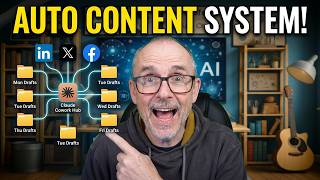
Build Your Own Content Machine Inside Claude Cowork
137 views

Any Document Becomes Audio With This Tool #AItools #tutorial
146 views

Your Board's AI Strategy Might Be Failing
130 views

The productivity trap most companies fall into with AI
117 views