
Copilot's New Edit Mode Does the Work For You in Word, Excel & PowerPoint
🛍️ Products Mentioned (2)
Copilot in Word, Excel, and PowerPoint has a new mode that goes way beyond answering questions and summarising documents. In this video I show you exactly how I'm using it to do real work — filling forms from unstructured emails, editing complex documents in natural language, building analysis in Excel, reformatting PowerPoint slides, and more. If you've had Copilot and not been getting much out of it in these apps, this is the video to watch. And stick around to the end for the one hack that will help you get even more out of it. ------------------------------ Thank you for supporting my channel: ☕ Buy me a coffee: https://www.buymeacoffee.com/lisacrosbie 📘 Get my book - Copilot Studio Step by Step: https://www.microsoftpressstore.com/store/microsoft-copilot-studio-step-by-step-customizing-copilot-9780135491539 (Also available on Amazon) 🤝 Follow me on LinkedIn: https://www.linkedin.com/in/lisa-crosbie/ --------------------------- Timestamps: 0:00 - Copilot's agentic capabilities in Word, Excel & PowerPoint 0:52 - Editing documents with Copilot in Word 8:01 - Analysing and planning with Copilot in Excel 12:29 - Reformatting and building slides with Copilot in PowerPoint 15:24 - The one hack you need to know
🎬 More from Lisa Crosbie

Microsoft Build 2026 - Top Announcements
7.4K views

Copilot Cowork: Tutorial for Beginners
31.7K views

Copilot Cowork Explained: Is this a whole new way to work?
49.2K views

Microsoft 365 Copilot: Complete Tutorial for Beginners (2026)
65.2K views

How to Find and Download a Teams Meeting Recording
46.5K views
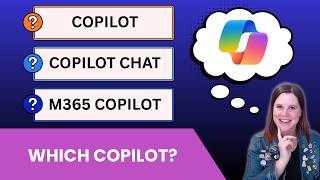
Microsoft Copilot vs Copilot Chat vs M365 Copilot - What's the Difference?
16.5K views