
Copilot Cowork: Tutorial for Beginners
🛍️ Products Mentioned (2)
In this video, I show you how to use Microsoft 365 Copilot Cowork, the new Copilot experience that can actually DO work for you instead of just chatting about it. After using Copilot Cowork in my real day-to-day job for several weeks, I genuinely think this is the biggest leap we’ve seen since Microsoft first launched Copilot. In this tutorial you will learn: - What Copilot Co-work actually is - How to access it (Frontier program + licensing) - The difference between chat vs AI delegation - How AI “skills” work Real examples using: - Teams - Outlook - Calendar management - Word - PowerPoint - Branding + document generation ------------------------------ Thank you for supporting my channel: ☕ Buy me a coffee: https://www.buymeacoffee.com/lisacrosbie 📘 Get my book - Copilot Studio Step by Step: https://www.microsoftpressstore.com/store/microsoft-copilot-studio-step-by-step-customizing-copilot-9780135491539 (Also available on Amazon) 🤝 Follow me on LinkedIn: https://www.linkedin.com/in/lisa-crosbie/ --------------------------- Timestamps: 0:00 - Copilot Cowork Explained 0:56 - Frontier Program, Access & Licensing 1:16 - How to Find and Pin Copilot Cowork 2:08 - 3 Things You MUST Understand About Cowork 4:52 - Why Cowork Is Different From Microsoft 365 Copilot 8:30 - Cowork Home Screen, Tasks & Starter Prompts 9:02 - Use Copilot to Organize Your Week & Calendar 17:17 - Generate Word Docs & PowerPoint Decks with AI 22:37 - Apply Branding Automatically to PowerPoint Slides 24:57 - Where Cowork Saves Files & Outputs 27:00 - What Should I Test Next With Copilot?
🎬 More from Lisa Crosbie

Microsoft Build 2026 - Top Announcements
7.4K views

Copilot's New Edit Mode Does the Work For You in Word, Excel & PowerPoint
8.0K views

Copilot Cowork Explained: Is this a whole new way to work?
49.2K views

Microsoft 365 Copilot: Complete Tutorial for Beginners (2026)
65.2K views

How to Find and Download a Teams Meeting Recording
46.5K views
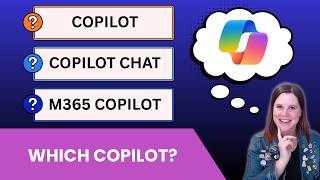
Microsoft Copilot vs Copilot Chat vs M365 Copilot - What's the Difference?
16.5K views