
How to Set Up Automatic Replies and Vacation Responders in Gmail 2026
If you’re planning to be away and don’t want to leave people wondering why you haven’t replied, this video will really help. Hi, my name is Limon and in this video, I’ll show you how to set up an automatic reply (vacation responder) in Gmail, so anyone who emails you knows you’re out and when you’ll be back. We’ll go step by step—opening Gmail, heading into Settings, and finding the Vacation responder section. From there, you’ll set your start and end dates, write a simple out-of-office message, and choose whether to send replies to everyone or just your contacts. It’s one of those small things that makes a big difference—it keeps your communication clear, avoids confusion, and honestly just makes things feel more professional while you’re away. By the end, you’ll have your auto-replies set up and ready to go, so you can step away without worrying about your inbox.
🎬 More from Learn with Limon
The Smoothest Jump Cuts Ever in Davinci Resolve | Smooth Jump Cuts in Davinci Resolve 2026
52 views
How to Use Variable Data, Text and Images in Adobe Photoshop 2026
365 views
Headphones vs. Computer Speaker - Checking Audio Settings in Zoom 2026
7 views

How to Find Federal Government Jobs in the US 2026
22 views
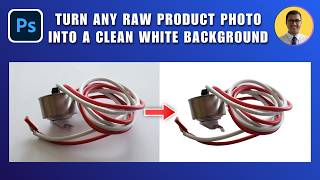
How to Turn Any Raw Product Photo into a Clean White Background 2026 | White Background in Photoshop
27 views
How to Add Text Behind an Object in Photoshop 2026 | Place Text Behind Object & Make It Transparent
18 views