
How to Find Federal Government Jobs in the US 2026
Hi, my name is Limon and in this video, I’ll show you how to use the official USAJOBS website to search for opportunities, filter results, and find roles that match your skills. We’ll go step by step—from opening the site and browsing available jobs, to using filters like remote or location-based roles. I’ll also show you how to read through job details carefully and where to find the “How to Apply” section so you don’t miss anything important. And if you’re looking for something specific, you’ll see how to search by job title and quickly narrow things down. Plus, I’ll guide you through creating an account so you’re ready to apply when you find the right opportunity. It’s actually a lot more straightforward than it might seem, and once you get the hang of it, you’ll be able to explore tons of great career options.
🎬 More from Learn with Limon
The Smoothest Jump Cuts Ever in Davinci Resolve | Smooth Jump Cuts in Davinci Resolve 2026
52 views
How to Use Variable Data, Text and Images in Adobe Photoshop 2026
365 views
Headphones vs. Computer Speaker - Checking Audio Settings in Zoom 2026
7 views
How to Turn Any Raw Product Photo into a Clean White Background 2026 | White Background in Photoshop
27 views

How to Add Text Behind an Object in Photoshop 2026 | Place Text Behind Object & Make It Transparent
18 views
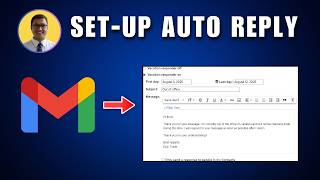
How to Set Up Automatic Replies and Vacation Responders in Gmail 2026
15 views