
How to Remove the First 3 Characters in Excel 2026
If you’ve ever had text in Excel where you needed to remove the first few characters—like cleaning up flight numbers or codes—this video will make it really simple. Hi, my name is Limon and in this video, I’ll show you two easy methods to remove the first 3 characters from a cell without any hassle. We’ll start with the RIGHT + LEN formula, which dynamically adjusts based on the length of your text, so it works even if your data isn’t all the same size. Then we’ll look at another method using the MID function, where you can skip the first few characters and pull the rest of the text cleanly. I’ll walk you through both step by step, and show you how to quickly apply the formula to the entire column using the fill handle. It’s a small Excel trick, but super useful when you’re cleaning or organizing data—and the best part is, you can easily adjust it to remove any number of characters you want.
🎬 More from Learn with Limon

The Smoothest Jump Cuts Ever in Davinci Resolve | Smooth Jump Cuts in Davinci Resolve 2026
52 views
How to Use Variable Data, Text and Images in Adobe Photoshop 2026
365 views
Headphones vs. Computer Speaker - Checking Audio Settings in Zoom 2026
7 views

How to Find Federal Government Jobs in the US 2026
22 views
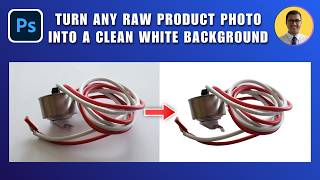
How to Turn Any Raw Product Photo into a Clean White Background 2026 | White Background in Photoshop
27 views

How to Add Text Behind an Object in Photoshop 2026 | Place Text Behind Object & Make It Transparent
18 views