
How to Loop a Video in CapCut PC 2026
🛍️ Products Mentioned (1)
How to Loop a Video in CapCut PC 2026 Want to learn how to loop a video in CapCut PC 2026 the right way? In this complete CapCut PC loop video tutorial, you’ll discover exactly how to create smooth, professional, and seamless loops directly inside CapCut Desktop. Whether you're editing background visuals, cinematic clips, or short social media content, this step-by-step guide will show you how to loop video in CapCut desktop without any awkward cuts or jumps. This CapCut loop video PC 2026 guide is perfect for beginners and experienced editors alike. If you’re looking for a CapCut PC beginner tutorial 2026 that explains everything clearly, you’re in the right place. You’ll learn how to repeat video in CapCut PC using simple timeline techniques, how to align clips precisely, and how to create a CapCut desktop loop effect that feels completely natural. We’ll also walk through a CapCut PC blend mode tutorial to help you build a smooth crossfade between clips. This is the key to understanding how to make a seamless loop in CapCut PC. By adjusting opacity and using clean transitions, you can create a CapCut PC smooth transition loop that looks polished and professional. If you've ever wondered how to make an infinite loop video CapCut editors use for aesthetic videos or background animations, this tutorial covers that as well. In addition, you’ll see how to loop background video in CapCut for things like ambient visuals, motion graphics, or repeating scenery. This CapCut seamless loop tutorial focuses on achieving a flawless CapCut PC seamless transition tutorial workflow so your viewers never notice where the video restarts. By the end of this guide on how to loop a video in CapCut PC 2026, you’ll be able to create clean, continuous playback loops for YouTube videos, social media edits, presentations, or creative projects. If you want smooth results and professional-looking edits, this tutorial will show you exactly how to do it inside CapCut PC. 👉❤️ Support Me: https://buymeacoffee.com/epicguide 📧 Contact Me: hirelimon@gmail.com 🔗 Links and Resources: 🙏Thanks for watching this video 📺 If you want to see more videos from Epic Content then please 🆂🆄🅱🆂🅲🆁🅸🅱🅴 and press the bell 🔔 icon to turn on all notifications! So you don't miss all the new videos we publish. 👍If you liked our videos then be sure to like them. 💬 Please tell us your opinion in the comments below. We respond to everyone! 🔗Please share this video if you found value in it and think it can help other people. 👁️If you enjoyed watching this video then check out our playlists for many more videos. 🔴Screen Recorded 📝Scripted, 🎙️Narrated, and ✂ Edited by Epic Content Team. 🎬 This video is for educational purposes only. ⚠️ This channel is for educational purposes only. All posted content is to add value to the viewers. We own licenses and permissions for all the content used in this video.
🎬 More from Learn with Limon
The Smoothest Jump Cuts Ever in Davinci Resolve | Smooth Jump Cuts in Davinci Resolve 2026
52 views
How to Use Variable Data, Text and Images in Adobe Photoshop 2026
365 views
Headphones vs. Computer Speaker - Checking Audio Settings in Zoom 2026
7 views

How to Find Federal Government Jobs in the US 2026
22 views
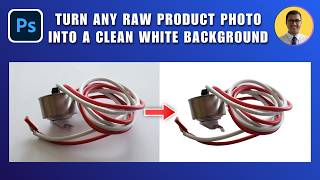
How to Turn Any Raw Product Photo into a Clean White Background 2026 | White Background in Photoshop
27 views

How to Add Text Behind an Object in Photoshop 2026 | Place Text Behind Object & Make It Transparent
18 views