
How to Fix Your Blurry Canva Images 2026
Ever designed something in Canva that looked absolutely perfect… and then it turned blurry the second you uploaded it? 😩 Yeah, that frustration is real. Hi, my name is Limon. In this video, I’ll walk you through how to fix your blurry Canva images in 2026 — step by step, in a super simple way. No tech overwhelm. Just practical fixes that actually work. We’ll check your dimensions, tweak your download settings, talk about image quality, and I’ll even share a little trick to beat social media compression. It’s the same method I use myself. If blurry graphics have been driving you crazy lately, don’t worry — you didn’t do anything wrong. Let’s fix it together.
🎬 More from Learn with Limon
The Smoothest Jump Cuts Ever in Davinci Resolve | Smooth Jump Cuts in Davinci Resolve 2026
52 views
How to Use Variable Data, Text and Images in Adobe Photoshop 2026
365 views
Headphones vs. Computer Speaker - Checking Audio Settings in Zoom 2026
7 views

How to Find Federal Government Jobs in the US 2026
22 views
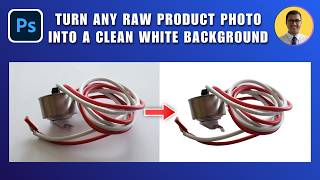
How to Turn Any Raw Product Photo into a Clean White Background 2026 | White Background in Photoshop
27 views
How to Add Text Behind an Object in Photoshop 2026 | Place Text Behind Object & Make It Transparent
18 views