
How to Create Gradient Text in Adobe After Effects 2026
Want to create a cool gradient text effect in Adobe After Effects? I’ve got you covered. Hi, my name is Limon. In this video, I’ll walk you through a simple way to add a colorful gradient to your text using the Four-Colour Gradient effect. We’ll start by creating a new composition, adding our text, and centring it on the screen. Then I’ll show you how to apply the gradient effect, adjust the colour points, and customize the colors to get the exact look you want. To make things even more fun, we’ll animate the gradient so the colors move smoothly across the text. I’ll also share a quick trick to loop the animation so it keeps playing seamlessly. It’s a really easy technique, but the result looks super dynamic and professional. If you’re looking to make your text stand out in After Effects, this is a great effect to add to your toolkit.
🎬 More from Learn with Limon
The Smoothest Jump Cuts Ever in Davinci Resolve | Smooth Jump Cuts in Davinci Resolve 2026
52 views
How to Use Variable Data, Text and Images in Adobe Photoshop 2026
365 views
Headphones vs. Computer Speaker - Checking Audio Settings in Zoom 2026
7 views

How to Find Federal Government Jobs in the US 2026
22 views
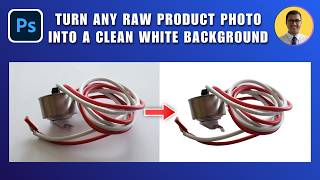
How to Turn Any Raw Product Photo into a Clean White Background 2026 | White Background in Photoshop
27 views

How to Add Text Behind an Object in Photoshop 2026 | Place Text Behind Object & Make It Transparent
18 views