
How to Add Motion Blur to Any Montage Premiere Pro 2026 Tutorial (RSMB)
🛍️ Products Mentioned (2)
How to Add Motion Blur to Any Montage Premiere Pro 2026 Tutorial (RSMB) Want to add motion blur Premiere Pro and make your edits look more cinematic and professional? In this Premiere Pro motion blur tutorial, I’ll show you exactly how to add motion blur in Premiere Pro 2026 using the powerful RSMB Pro plugin Premiere Pro editors love for smooth results. If you’ve been searching for how to add motion blur Premiere Pro the right way, this step-by-step guide will walk you through everything you need to know. Whether you’re working on a gaming montage motion blur Premiere Pro project or high-energy cinematic edits, adding RSMB Premiere Pro effects can instantly level up your visuals. You’ll learn how to use RSMB in Premiere Pro by applying it correctly through an adjustment layer workflow. I’ll show you how to add RSMB to adjustment layer Premiere Pro timelines so you can control the effect across multiple clips at once. This makes your Premiere Pro montage editing process much faster and cleaner. Motion blur is especially powerful when combined with speed ramps. If you’re creating transitions or dynamic velocity changes, adding speed ramp motion blur can make your edits look buttery smooth and more professional. With the right settings, you can achieve smooth motion blur Premiere Pro results without overdoing the effect. This tutorial covers everything from installation to applying cinematic motion blur Premiere Pro settings that work perfectly for montage edits. By the end, you’ll know exactly how to create Premiere Pro montage motion blur that enhances movement, improves realism, and gives your videos that high-end look. If you want your edits to stand out in 2026, mastering how to add motion blur in Premiere Pro 2026 using RSMB is a must. Follow along and transform your basic clips into smooth, dynamic, and eye-catching montage sequences. Link: https://revisionfx.com/products/rsmb/after-effects/ 👉❤️ Support Me: https://buymeacoffee.com/epicguide 📧 Contact Me: hirelimon@gmail.com 🔗 Links and Resources: 🙏Thanks for watching this video 📺 If you want to see more videos from Epic Content then please 🆂🆄🅱🆂🅲🆁🅸🅱🅴 and press the bell 🔔 icon to turn on all notifications! So you don't miss all the new videos we publish. 👍If you liked our videos then be sure to like them. 💬 Please tell us your opinion in the comments below. We respond to everyone! 🔗Please share this video if you found value in it and think it can help other people. 👁️If you enjoyed watching this video then check out our playlists for many more videos. 🔴Screen Recorded 📝Scripted, 🎙️Narrated, and ✂ Edited by Epic Content Team. 🎬 This video is for educational purposes only. ⚠️ This channel is for educational purposes only. All posted content is to add value to the viewers. We own licenses and permissions for all the content used in this video.
🎬 More from Learn with Limon
The Smoothest Jump Cuts Ever in Davinci Resolve | Smooth Jump Cuts in Davinci Resolve 2026
52 views
How to Use Variable Data, Text and Images in Adobe Photoshop 2026
365 views
Headphones vs. Computer Speaker - Checking Audio Settings in Zoom 2026
7 views

How to Find Federal Government Jobs in the US 2026
22 views
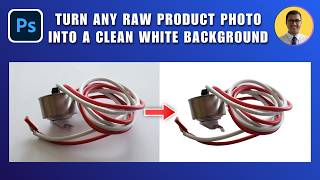
How to Turn Any Raw Product Photo into a Clean White Background 2026 | White Background in Photoshop
27 views
How to Add Text Behind an Object in Photoshop 2026 | Place Text Behind Object & Make It Transparent
18 views