
VIPKID SMART DEMO (NEW!) TIPS + FAQ (Pass the VIPKID Interview/Demo FAST...Get Hired ASAP!)
🛍️ Products Mentioned (4)
What is the VIPKid "smart demo" and how do you pass it? Enjoy this practical info! Apply to VIPKid with Tina's link: http://bit.ly/ApplytoVIPKID 😃 ➢ IMPORTANT: Tina's VIPKid referral link recently changed. If you have already applied to VIPKid and wish to add Tina as your referring teacher, please email her ASAP for help getting linked: TeacherTinaVIPKID@gmail.com. 👏👏👏 Tina's referrals enjoy many FREE perks including: ▽Confidential Hiring Guide ▽Facebook Community (http://bit.ly/YourVIPKidJourney) ▽“Hired” Facebook Community ▽On-Demand Coaching Sessions ▽Email Priority Replies ➢ Ready to apply to VIPKid? Use my referral link (http://bit.ly/ApplytoVIPKID), complete the application, gain access to my confidential resources...and I'll help you get hired! After you apply with my link and complete the quick application, please email me to introduce yourself: TeacherTinaVIPKID@gmail.com😁 Timestamps (to revisit a particular topic): 0:42 Why Does the Smart Demo Exist 0:59 When Does the Smart Demo Happen 1:25 How to Get Started with the Smart Demo 1:46 Reading Materials 2:03 Quiz 2:50 Recording the Teaching Slide 3:53 Reminder: Why You Don't Need to be Nervous 4:11 How Soon You'll Hear Back from VIPKID re: pass/fail 4:42 What to Do After the Smart Demo 5:23 Free Resources 6:11 How To Add a Referral Code/Apply 6:50 SMART DEMO FAQ 6:58 Smart Demo on a Computer/Tablet 7:13 Classroom Setup 8:07 Headset 8:28 Props 9:48 Holding Your Smart Phone 10:16 Quiz + Teaching Slide Timeline 10:52 What Comes Next (Hiring Process) FYI: as of September 2019, some applicants have received feedback that they are expected to have a colorful background and a propped-up phone. VIPKid's expectations may change over time. I will do my best to keep additional tips updated here! 👉Updated Hiring Process Video: http://bit.ly/NewVIPKIDHiringProcess Thanks for watching! Subscribe and hit the 🔔 so that you get notified when I release a new video! 😁 Tina © 2019 by Teacher Tina LLC https://teachersinprogress.com/hiringprocess Tina's referral link: http://bit.ly/ApplytoVIPKID
About This Video
Frequently Asked Questions
🎬 More from Kristina Garcia
ONLINE CLASSROOM TOUR + BACKGROUND HOW TO (+ a confession!)
3.8K views
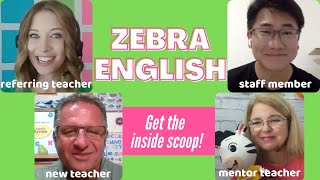
ZEBRA ENGLISH Interview with a Beijing Staff Member, a Mentor, and a New Teacher!
2.0K views

$300 MAY INCENTIVE + HOW TO TEACH AN IMAGINARY STUDENT
2.9K views
WHAT YOU NEED TO KNOW BEFORE YOU APPLY TO ZEBRA ENGLISH (Schedule, Hiring Process, FAQ)
3.8K views
THE BEST New Online Teaching Opportunity! (And why you should MOVE QUICKLY!)
5.8K views
TOP FOUR LESSONS LEARNED 2020: My life has changed completely!😀
4.3K views