Vigyata.AI
Is this your channel?

4 Ways To Mod A CHEAP Keyboard!

6.1K views· 63 likes· 4:32· May 11, 2024

🛍️ Products Mentioned (3)

Here are 4 ways to easily improve any keyboard! 👥 Discord ►https://discord.gg/3kqGGr6 🔔 PLEASE SUBSCRIBE - https://www.youtube.com/c/justintechtv?sub_confirmation=1 Today I show you how to mod any keyboard to make your keyboard sound better. Be sure to like, comment, subscribe and turn on the post notifications!!! * FOLLOW ME ON SOCIAL MEDIA * 🐦Twitter ► https://twitter.com/Justin_Tech_TV 🔴 Twitch ► https://www.twitch.tv/justintechtv 📷 Instagram ► https://www.instagram.com/justintechtv/ 👥 Discord ►https://discord.gg/XPsxSh 💼 BUSINESS INQUIRIES Please contact me at JustinGamingTech.Business@gmail.com


About This Video

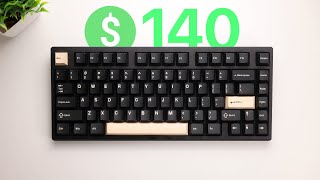
In this video I show you four easy ways to take a cheap keyboard from sounding thin and pingy to sounding way more solid—without spending a ton. I’m using the Redragon K599 because it’s a nice budget board and it’s hot-swappable, but these mods work on basically any keyboard. I start by pulling the keycaps and switches so I can open the case and get to the PCB. First, I add foam between the case and the PCB to kill that hollow ping. You don’t need anything fancy—if you’ve got thin foam lying around, it works, and you can even grab stuff from a home improvement store. Next is the tape mod: I put 2–3 layers of non-conductive tape on the back of the PCB to make the board sound more “thocky” (just don’t use anything that can conduct electricity). After that, I fix stabilizers with a Band-Aid mod to reduce wobble, and I also show how lubing stabs with dielectric grease can make a huge difference for rattle. I finish by swapping keycaps for looks—totally optional, but it’s an easy way to make a budget board feel fresh.

Frequently Asked Questions

🎬 More from Justin Tech