
Build and Deploy a Full Stack Social Media App using React js | MERN Stack Project 2025
🛍️ Products Mentioned (10)
Clerk
Inngest
ImageKit
Live Preview
Source code & assets
Connect with me
ImageKit docs

Images Credit

Unsplash Product
Freepik Product
Learn How to make a full stack Social Media App using MERN Stack, Build and deploy a complete Social Media App in React JS 👉 Clerk: https://go.clerk.com/JL2SDmL 👉 Inngest: https://innge.st/yt-gs-3 👉 ImageKit: https://tinyurl.com/5hbj4ceh 👉 Live Preview: https://pingup-gs.vercel.app/ 👉 Source code & assets: https://greatstack.dev/p/pingup SUBSCRIBE: @GreatStackDev ------------------- 👉 ImageKit docs: https://tinyurl.com/tnybufw3 👉 Inngest YT Channel: https://www.youtube.com/@inngest In this step-by-step tutorial, we will walk you through the development and deployment of a fully functional Social Media Web Application using the MERN Stack (MongoDB, Express.js, React.js and Node.js) Key Features: User Authentication: Seamless and secure sign-in, sign-up and profile management powered by Clerk. Background Jobs: Efficient handling of background tasks and scheduled jobs using inngest. Media Storage & Optimization: Images will be stored and optimized using ImageKit, ensuring fast load times and high-quality delivery. Core Social Features: - Real-time chat and messaging - Post and feed system to share text or image-based content - Follow / Unfollow capabilities - Friend requests management - Story or status uploads - Search and discovery of new users This project is ideal for anyone looking to strengthen their full stack development skills with hands-on experience in real-world application architecture. #fullstack #mernstack #webdevelopment #socialmediaapp #fullstackproject #codingprojects #collegeprojects #greatstack #placement ------------------ Timestamps: 00:00 Project Overview 08:00 Create Basic React Project 19:00 Create Home page and Components 38:10 Clerk Auth Setup 48:50 Create Sidebar Page 01:15:20 Create feed Page 02:32:36 Create List Post 02:54:50 Create Recent Message Page 03:06:00 Create Message Page 03:16:50 Create Connection Page 03:38:14 Create Discover Page 03:59:18 Create Profile page 04:29:30 Create Post Page 04:47:00 Create Chat Page 05:05:00 Create Edit Profile Page 05:30:55 Create Backend Server 05:39:54 Connect MongoDB Database 05:53:34 INNGEST Webhook Setup 06:39:20 Connect ImageKit for image storage 09:34:10 Connect Backend and Fronted 11:40:10 Add Message Notification on Website 11:54:33 Deploy Project Online ------------------- Watch MERN Stack Grocery Delivery App tutorial: 👉 https://youtu.be/PaQX0pktLnw Watch MERN Stack Food Order Website tutorial: 👉 https://youtu.be/DBMPXJJfQEA Watch Full Stack Chat App tutorial: 👉 https://youtu.be/gbocZlm71nE Watch Full Stack Music Streaming Website 👉 https://youtu.be/KdGfhSpT6pc Watch Full Stack Blog Website Tutorial 👉 https://youtu.be/HdWCh_4XE1Q ------------------------------------- Build more React JS projects: Complete Portfolio Website In React: 👉 https://youtu.be/4ag1LsgIUc0 Build ChatGPT Clone In React: 👉 https://youtu.be/EzkWAviyYgg Build AI Image Generator with OpenAI In React 👉 https://youtu.be/PZG2MvOjud0 Create Weather App In React 👉 https://youtu.be/7JqdjWB88Kk ------------------------------------- Images Credit: https://www.pexels.com/ https://unsplash.com/ https://www.freepik.com/ ------------------------------------- Connect with me: 👉 https://linktr.ee/iamavinashkr Connect with GreatStack: Instagram: https://instagram.com/GreatStackDev Twitter: https://twitter.com/GreatStackDev Facebook: https://facebook.com/GreatStack
About This Video
Frequently Asked Questions
🎬 More from GreatStack
Build & Deploy Full Stack Employee Management System in React js | MERN Stack Project 2026
16.6K views
Build an AI Full Stack Blog App Using Factory AI | React, Express, PostgreSQL, Gemini API
31.2K views
Master OpenClaw under 60 Minutes | Install and setup OpenClaw on VPS to Build Real Apps
57.8K views
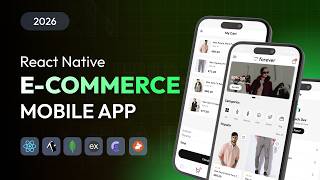
Build E-Commerce App with React Native & Expo | Mobile App Development Step by Step Tutorial 2026
29.0K views
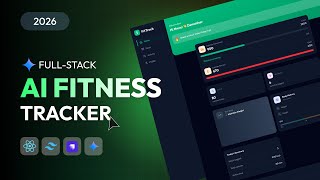
How To Build & Deploy Full Stack AI Fitness App Using React JS & Strapi (Step-by-Step Tutorial)
27.5K views
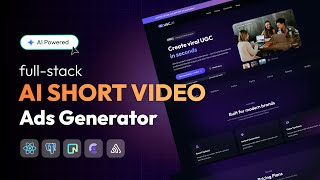
Build & Deploy a Full Stack AI Short Video Ads Generator | PERN Stack, Gemini API, SaaS Project
39.7K views