
First Settings you NEED to Change on your iPhone!
About Charging Your iPhone Up to 80%: https://youtu.be/OKyc9JutQrE How to Back Up Your iPhone - iCloud or Computer: https://youtu.be/oi8-wBEaPTY In this video, I show you the first settings you need to make as soon as you start using your iPhone. We cover settings related to everyday usability, such as Control Center, screen settings, charging and battery settings, keyboard settings, backup settings, security and privacy settings, camera settings, Apple Pay and payments, and much more! 00:00 Intro 00:22 Control Center and Usability 02:39 Screen and Locking 03:51 Battery and Charging 05:43 Keyboard and Language 07:31 Backup and Data 09:14 Security and Privacy 11:27 Camera 12:19 Apple Pay and Payments 13:58 Conclusion
🎬 More from Daniel About Tech
One AirPod Not Charging? How to Fix!
588 views
iPhone 17 Pro and 17 Pro Max Colorgate EXPLAINED!
761 views

(2026) Forgot Your Android Password, PIN or Pattern? Here’s How To Regain Access - NO COMPUTER!!
4.1K views
(iOS 26) How to Add your Name on your iPhone Lock Screen!
6.4K views
How to Download Instagram Reels and Videos!
12.5K views
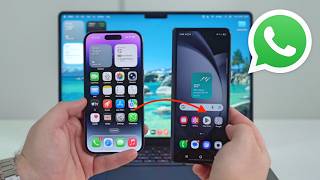
How To Transfer All WhatsApp Data From ANY PHONE to Another (iPhone and Android)
3.4K views