
Performance Max Campaigns - Here’s How to Optimize for Performance
🛍️ Products Mentioned (4)
Book a FREE ecommerce audit: https://calendly.com/budai-media/consultation-daniel?month=2025-12 📈 See how we help 7-8 figure brands scale: https://thebudaimedia.com/case-studies/ 📘 Get your free ecommerce google ads cheatsheet: https://thebudaimedia.com/your-epic-google-ads-checklist/ ✉️ Join my weekly newsletter: https://thebudaimedia.com/weekly-newsletter-signup/ Most ecommerce brands running Performance Max campaigns assume Google's algorithm knows what it's doing. But buried in the campaign settings is one toggle that's turned on by default and can quietly waste thousands of dollars sending traffic to pages you never intended to advertise. We found this exact issue in a client account spending $240K per month - one landing page received $110,000 in ad spend with a 0.95x ROAS, and it wasn't even listed in their asset groups. In this video, you'll learn: - When you should actually start running Performance Max - The default setting that can waste six figures if left unchecked - How to find and exclude low-performing URLs in your account - Asset groups, bidding strategies, and the setup steps most people skip - What to monitor after launch to avoid expensive mistakes This is a complete Performance Max walkthrough - showing you how PMAX actually works and the settings you need to check immediately to avoid profit leaks. If this helps you avoid expensive PMAX mistakes, hit the like button and subscribe for more Google Ads strategies that protect your budget.
🎬 More from Daniel Budai • Ecommerce Growth Marketing

Why I Walked From a Client Over $250
43 views

Why 7-Fig Brands Undersend Email Campaigns ($100K/mo Leak)
46 views

How We Run Google Ads for Peptide Brands Without Getting Banned
53 views
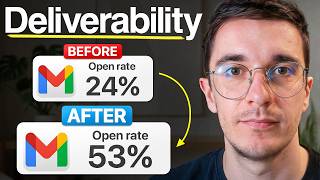
The Deliverability Playbook That Saved a $20M Jewelry Brand
39 views

Our Largest Ever Case Study — $2.84M in 30 Days for One Electronics Brand
138 views

A 7-figure jewelry brand wanted to spend $20K on a redesign.
112 views