
How to Use Google Looker Studio for Google Ads Reporting
🛍️ Products Mentioned (3)
👉 Book a FREE audit to scale your ecommerce store: https://calendly.com/budaimedia/strategy-call-with-daniel? Click on the link below to visit Budai Media: https://thebudaimedia.com/ 📘 Download our free Google Ads Cheatsheet here: https://thebudaimedia.com/your-epic-google-ads-checklist/ Creating a Google Ads report doesn’t have to be complicated or overwhelming. In this video, I’ll show you how to track your Google Ads performance using Google’s free and intuitive tool, Looker Studio. It’s simple, efficient, and helps you turn your data into actionable insights. This video is part of my 4.5-hour Google Ads mini-course, where I’ve packed everything I know about running Google Ads for e-commerce stores. Check out this FREE video to learn the A-Z of Google Ads. Click on the link below to watch the full video: https://www.youtube.com/watch?v=vI0_tyAp Timecodes: 00:00 Introduction 01:18 How to customize your report 04:25 Wrapping Up 04:57 CTA 🔔 If you found this video helpful, please like, subscribe, and share it with at least one friend who could benefit from it too. Our growth is 100% organic, and your support means the world to us! Don’t forget to hit the notification bell to stay updated with my latest videos on e-commerce marketing and ad strategies. Leave a comment below if you have any questions about Google Ads.
🎬 More from Daniel Budai • Ecommerce Growth Marketing

Why I Walked From a Client Over $250
43 views

Why 7-Fig Brands Undersend Email Campaigns ($100K/mo Leak)
46 views

How We Run Google Ads for Peptide Brands Without Getting Banned
53 views
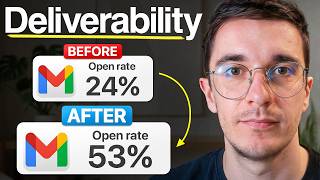
The Deliverability Playbook That Saved a $20M Jewelry Brand
39 views

Our Largest Ever Case Study — $2.84M in 30 Days for One Electronics Brand
138 views

A 7-figure jewelry brand wanted to spend $20K on a redesign.
112 views