
Quake Desktop AI Copilot Review: Next-Gen Desk Companion
🛍️ Products Mentioned (1)
The Quake Desktop AI Copilot is positioned as a next-gen desk companion, and this review explores how it performs in daily use. Learn about AI meeting assistance, customizable touch controls, system monitoring, and creative AI features. From the ultra-wide touch display to the smart control knob, explore how Quake fits into creator and professional desk setups. Ideal for anyone building a smarter and cleaner desktop setup. **Get Super Early Bird Deals: 1 Set (Quake Desktop AI Copilot): $249 (Regular MSRP: $359.00, 31% OFF) Super Early Bird is limited – exact quantity to be determined! Grab this exclusive launch offer before it’s gone! **Back the project now: https://www.kickstarter.com/projects/decokee/decokee-quake-the-ultimate-desktop-ai-copilot?ref=85vnzc ---------------------------------------------------------------------------------------------- Business mail: mailtechfluencer@gmail.com ---------------------------------------------------------------------------------------------- Music Source: YouTube Audio Library ---------------------------------------------------------------------------------------------- Video you may also like: *https://youtu.be/ovPnSFLoGHs *https://youtu.be/Ol70Q8vqgSM *https://youtu.be/KPd9rl7xT20 ---------------------------------------------------------------------------------------------- The Quake desktop AI copilot by Decokee is a true next-gen desk companion, combining a physical AI copilot with a powerful desktop AI assistant designed for productivity and control. As an on-desk AI copilot, it features an ultra-wide interactive display that works as an AI agent wallpaper, offering instant answers AI, AI meeting summary, and seamless voice command desktop control. With touch control AI, a customizable voice shortcut builder, and desktop control terminal capabilities, Quake lets users manage apps, workflows, and smart home desk integration effortlessly. Built for performance-focused users, it includes a real-time system monitor showing CPU, memory, and network display, making it a true AI desk productivity hub. Positioned as a smart desk device and launched as Kickstarter Quake AI, this AI desk companion redefines how users interact with their desktop through voice, touch, and intelligent automation. ---------------------------------------------------------------------------------------------- Disclaimer: The following video abides by the YouTube Community Guideline. Footage used in this video is for educational purposes and all the information covered in this video was collected from unofficial sources and assumptions. Footage, music, images, and graphics used in the video falls under the YouTube Fair Usage Policy Under Section 107 of the Copyright Act 1976. If you have any copyright issues, please contact us. All Affiliated links in the video description help us support this channel. #streamdeck #aiconsole #deskgadgets
About This Video
Frequently Asked Questions
🎬 More from Techfluencer
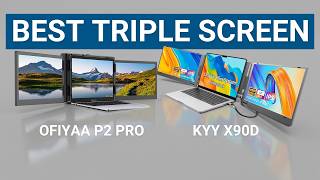
KYY X90D vs OFIYAA P2 Pro - Which is the Best Portable Triple Monitor?
79 views
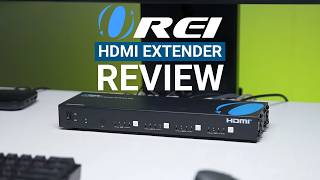
OREI HDMI Extender Review - Lossless Video Bandwidth from Bedroom to Living Room
5.4K views
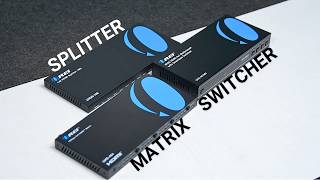
HDMI Matrix vs HDMI Switch vs HDMI Splitter - Choose the Right One
12.4K views
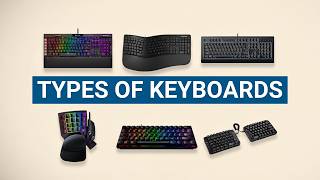
Every Type Of Computer Keyboards - Simply Explained
6.6K views
7 Best HDMI Switches for 8K Gaming
15.0K views
Ultimea Skywave X50 Review - A Soundbar You Won’t Regret Buying!
11.5K views