
4K 60fps settings on the DJI Osmo Pocket 3
🛍️ Products Mentioned (1)
Best 4K 60fps Settings For DJI Osmo Pocket 3 (Cinematic Guide) To achieve the best 4K 60fps video quality on your DJI Osmo Pocket 3 for smooth, professional-grade footage, use these recommended settings: Resolution & Frame Rate: Set to 4K (3840x2160) at 60fps. This allows for high-detail capture and the ability to slow down footage to 40% in post-production for smooth slow motion. Color Profile: Use 10-bit D-Log M for maximum dynamic range or HLG if you want instant HDR results without heavy color grading. Shutter Speed: Follow the 180-degree rule. At 60fps, set your shutter speed to 1/120s using ND Filters to maintain natural motion blur. White Balance: Switch from Auto to Manual (5500K for daylight) to prevent color shifts during the shot. ISO Range: Set a Max ISO of 1600 for low light or 400 for bright daylight to minimize digital noise. Focus Mode: Use Product Showcase for reviews or Continuous AF (AF-C) for vlogging to ensure the subject stays sharp at high frame rates. About This TechEasy Pro Tutorial The DJI Osmo Pocket 3 is a 4K powerhouse, but using the wrong settings can lead to choppy motion or washed-out colors. In this 2026 update, I’ll show you exactly how I set up my Pocket 3 to get that "YouTube Studio" look outdoors. We also cover the hardware requirements, like why you need a U3/V30 rated SD card to handle the massive data flow of 4K 60fps without the camera overheating or stopping. Why Use 4K 60fps? Ultra-Smooth Vlogging: Perfect for walking and talking without the "jitter" of lower frame rates. Slow Motion Ready: Perfect for cinematic B-roll; you can slow 60fps down to 24fps in your editor for a dream-like effect. The memory card shown in the video is redcop MicroSDXC Memory Card 128GB with Full Size Adapter – Upto 150MB/s |Class 10 UHS-1 V30 A1| 5Year Warranty |High-Speed Storage Sd Card for Smartphones, Cameras, Laptops, Gaming Devices & Drones. Future-Proofing: 4K 60fps is the standard for high-end displays and premium tech channels in 2026. Clarity: Higher frame rates reduce motion blur in fast-moving action shots, making every frame look like a high-res photo. Watch More From TechEasy Check out our other DJI and storage optimization guides: 3 MUST-HAVE Accessories for DJI Osmo Pocket 3: https://youtu.be/v_v3v3H9U38 Best Memory Card For DJI Osmo Pocket 3 (Speed Test): https://youtu.be/NfiPcNt957c How to Fix Google Account "Couldn't Sign In" Error: https://www.youtube.com/watch?v=qW8ObPuXVYc How to Clear "Other" Storage on Android (2026 Guide): https://www.youtube.com/@techeasy8874 best 4K 60fps settings DJI Osmo Pocket 3, cinematic settings for DJI Pocket 3, D-Log M color grading tutorial 2026, 4K 60fps vs 4K 30fps DJI, DJI Osmo Pocket 3 slow motion settings, TechEasy camera tips, professional vlogging settings, high bitrate 4K video recording, DJI Pocket 3 overheating fix. #DJIOsmoPocket3 #TechEasy #4K60fps #CinematicSettings #VloggingTips #DLogM #CameraSettings #GimbalCamera #4KVideo #TechTutorial2026 #Filmmaking #DJIPocket3 --- 🚀 **Connect with Me!** 🚀 🌐 **Website:https://techanswered.com/ 📧 **Business Inquiries:gamedevtutorials9@gmail.com 📸 **Instagram:https://www.instagram.com/techeasy777/ 🐦 **Twitter:https://x.com/123gadgetinfo
About This Video
Frequently Asked Questions
🎬 More from Tech Easy

Nothing Phone Battery Draining Fast? Here’s The Fix
15 views

How To Remove Google Search Bar At Bottom On Home Screen Nothing Mobiles
10 views

My Motorola Phone Screen Broken Slight Crack
6 views
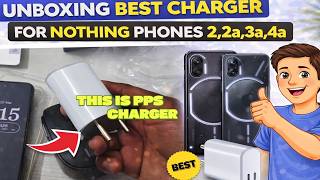
Unboxing Best Charger For Nothing phones 2,2a,3a,4a
147 views

How To Wash Prawns Before Cooking With Vegetable Strainer
7 views

Unboxing And Working Of LifeLong 1800 w induction cooktop
400 views