
Nothing Phone Battery Draining Fast? Here’s The Fix
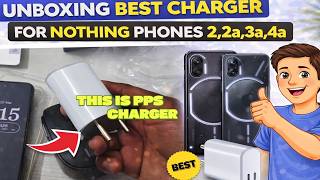
How To Fix Nothing Phone Battery Draining Fast (1, 2, 2a, 3a, 4a) If your Nothing Phone battery is draining quickly even with light usage, follow these expert optimization steps to extend your screen-on time (SOT): Restrict Background Apps: Go to Settings , Battery , Battery Usage. Identify apps with high background usage and select "Restricted" for those apps. Optimize Glyph Interface: Set the Glyph brightness to a lower level or use "Essential Notifications" only to prevent the LEDs from draining power unnecessarily. The charger shown in the video is CMF by Nothing 45W Type C PPS Charging Adapter for Nothing Phone 3/3a lite/3a Pro/2/2a/2a Plus/1 | Phone 2 Pro/Pixel 10/10 Pro/S25 Edge/Buds/Ear Stick | Upto 50W Fast Power USB C Rapidly Charge, White. Unboxing Best Charger For Nothing phones 2,2a,3a,4a video : https://youtu.be/K2xlGfYf5-U Disable Always-on Display (AOD): While stylish, AOD is a major battery drainer. Turn it off in Settings , Display, Lock Screen. Lower Refresh Rate: Switch from "High" (120Hz) to "Dynamic" or "Standard" (60Hz) in Settings, Display , Screen refresh rate. Check for Network Issues: If you are in a low-signal area, 5G can drain battery 20% faster. Switch to 4G/LTE in Settings , Network & Internet , SIMs. About This TechEasy Battery Optimization Guide Is your Nothing Phone not lasting an entire day? In this 2026 update, I deep-dive into the best settings to stop the Nothing Phone battery drain issue on Nothing OS 4.1. Whether you have a Nothing Phone 2a, 3a, or the flagship 4a, I'll show you how to find "power-hungry" apps and the hidden system settings that are eating your battery life. We also perform a real-world test to see how much the Glyph interface actually impacts your daily usage. Key Highlights of This Fix: Glyph Impact: Learn how much battery the LED lights actually use. Nothing OS 4.1 Secrets: New battery-saving toggles you didn't know about. Deep Sleep Mode: How to ensure your phone enters "Deep Sleep" at night. Battery Health: Tips on how to keep your Nothing Phone battery healthy for years. Watch More From TechEasy Enhance your smartphone experience with these high-performing tutorials from my channel: Motorola Phone Charging Slowly Problem Fixed: https://www.youtube.com/watch?v=5hsi_TgPDds Battery Percentage Number Missing Fixed Android: https://www.youtube.com/watch?v=KBpDdBb_Mno How To Make Battery Icon & Symbols Large In Size: https://www.youtube.com/watch?v=s7wU6QaHHlM Where are Gallery Photos Stored on Android? (Exact Path): https://www.youtube.com/watch?v=d4MdrrcL3dM Visit my channel for more tech hacks: Https://www.youtube.com/@techeasy8874 nothing phone battery drain fix 2026, nothing phone 2a battery life improvement, nothing os 4.1 battery optimization, nothing phone 4a battery drain issue, fix android battery drain overnight, TechEasy nothing phone tips, disable glyph interface battery drain, best battery settings for nothing phone, extend battery life nothing phone 3a. #NothingPhone #TechEasy #BatteryDrain #NothingOS #BatterySaver #NothingPhone4a #AndroidTips #SmartphoneFix #NothingPhone2a #BatteryOptimization #TechTutorial2026 #NothingPhone3a
About This Video
Frequently Asked Questions
🎬 More from Tech Easy

How To Remove Google Search Bar At Bottom On Home Screen Nothing Mobiles
10 views
My Motorola Phone Screen Broken Slight Crack
6 views
Unboxing Best Charger For Nothing phones 2,2a,3a,4a
147 views

How To Wash Prawns Before Cooking With Vegetable Strainer
7 views

Unboxing And Working Of LifeLong 1800 w induction cooktop
400 views

Android Webview Crashing Apps How To Fix
40 views