
How to Create a Podcast on Spotify for Free
🛍️ Products Mentioned (5)
Create your podcast on Spotify for FREE in four simple steps. Veronica shows you how to set up Spotify for Creators, build your show assets with Podcast Your Way, record a trailer with Riverside, and publish (plus the discovery-boosting “clips” feature). 🔗 Links mentioned • Riverside (record/edit/repurpose): https://pss.media/riverside. Use code PSS for for 15% off a paid plan. • Create your account: https://creators.spotify.com • Podcast Your Way (free account): https://podcastyourway.com • PSS gear & studio playlist (upgrade when ready): https://geni.us/CqAQx • Work with us (studio builds & training): https://pss.media/one-on-one-support 💡 Next steps Post consistently, add a vertical clip to each episode, and use your trailer to set the hook and schedule. Check out our 2026 How to Start a Podcast Complete Guide https://youtu.be/tmlYRUTlA6A?si=NAC6K_YzkOp28fj7 Timestamps / Chapters (paste into YouTube) 00:00 Intro 00:34 Step 1: Setting Up Your Spotify for Creators Account 01:32 Step 2: Creating Your Show Assets 06:05 Step 3: Recording and Uploading Your Trailer Episode 08:48 Recording your show with Riverside.fm 10:08 Step 4: Publishing to Spotify 12:10 Bonus: Upload a Clip to Spotify for Creators
🎬 More from PSS Creative Media
My Husband’s $10K Studio vs My Tiny Cameras
1.2K views
The Only AI Platform You Need as a Solo Content Creator in 2026
744 views
Best 4K Webcam 2026? My Wife Picked the Winner
1.9K views

Start Your Podcast the Right Way (Don't Become One of the 90%)
635 views
How to Start a Live Podcast: Multicam Audio Switching
2.3K views
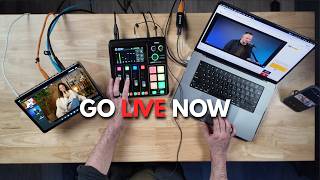
Your First Podcast Livestream: 3 Setups (Solo to Multi-Cam)
22.5K views