
Recreate the CRIME 101 Movie Poster Look in Photoshop
🛍️ Products Mentioned (8)
Download tutorial assets here
Download original poster reference here
Fonts used
full professional Photoshop training courses here
And all my asset packs here
Professional Training
Blog
500px
Download tutorial assets here: https://nucly.com/crime-101-poster-tutorial In this tutorial, I’ll show you how to recreate the CRIME 101 movie-poster look in Photoshop using your own images. This is a great exercise in layout discipline, color control, and subtle texture—where small decisions add up to a strong, cinematic result. We’ll build the poster from the ground up, starting with a proper theatrical canvas and grid system. From there, you’ll learn how to mask and arrange multiple images cleanly, unify contrast with curves, and use a targeted gradient map to lock everything into a cohesive color palette. We’ll finish with separation lines, controlled grain, and typography that feels bold without overpowering the imagery. This workflow is practical, repeatable, and easy to adapt to your own posters, thumbnails, or promotional composites. 00:00 – 🎬 Intro & poster overview 00:00:49 – 📐 Setting up the canvas and grid layout 00:09:07 – 🖼 Importing images into the layout 00:09:48 – ✂️ Masking images into the grid 00:10:48 – 🟥 Adding black separation lines 00:11:40 – 🎨 Adding curves for contrast control 00:12:55 – 🔥 Applying the cinematic gradient map 00:14:10 – 🔠 Adding and styling the CRIME 101 text 00:15:05 – 🌫 Adding grain with Camera Raw 00:15:38 – ✅ Final polish and wrap-up Download original poster reference here: http://www.impawards.com/2026/crime_one_o_one_ver4.html Fonts used: https://fonts.google.com/specimen/Ultra — Don’t forget to SUBSCRIBE and turn on notifications! And likes and shares help a lot too! Check out my full professional Photoshop training courses here: https://www.nucly.com/courses And all my asset packs here: https://www.nucly.com/tools — Follow me: Professional Training - https://www.nucly.com Blog - https://zevendesign.com Facebook - https://www.facebook.com/zevendesign Instagram - https://www.instagram.com/zevendesign 500px - https://500px.com/rikardrodin
🎬 More from Nucly • Photoshop and Creative Design Training

Photoshop Can Now Rotate ANY Object with AI… Sort Of
197 views

I Reviewed Your Composites for March 2026
925 views

Learn Photo Compositing in Photoshop 2026 (Start to Finish Project)
1.9K views

Crimson Flight: From Photos to Finished Composite in Photoshop
1.5K views

I Reviewed Your Photoshop Composites (Honest Feedback)
1.1K views
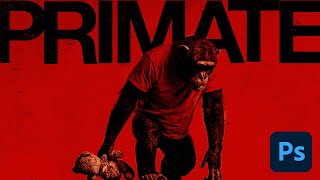
Generative AI to Graphic Design: The Primate Poster Tutorial
1.3K views