
How to Duplicate Meta Ads in Meta Business Suite (Fast & Efficient Tutorial)
In this tutorial, I walk you step by step through how to duplicate ads inside Meta Business Suite using Ads Manager. This video is perfect if you already have Meta Business Suite set up, have run ads before, and now want a faster, more organized way to create additional ads without starting from scratch every time. I cover: • How to access Ads Manager from Meta Business Suite • How to make sure you are in the correct business portfolio and ad account • Why duplicating both the ad set and the ad saves time • How to rename and organize duplicated ads properly • Budget, scheduling, and audience setup tips • Custom audience and customer list considerations • The Advantage+ audience setting you must pay attention to • How to use an existing post vs creating an ad from scratch • Uploading creative, writing ad copy, and testing multiple text versions • Headlines, descriptions, and above-the-fold ad copy strategy • Previewing ads across all placements • Final checks before publishing I also share practical pro tips I use every day, including how I leverage ChatGPT to write ad copy faster and how Meta automatically tests multiple text versions for performance. This process helps you stay organized, scale ads efficiently, and avoid rebuilding campaigns over and over again. If you found this helpful: Subscribe to my channel Sign up for my weekly emails Visit MileHighTitleGuy.com for tools, resources, and real estate-focused marketing strategies I work with real estate agents, lenders, and professionals across Colorado and host classes, workshops, and events regularly. Reach out if you have questions or want help dialing in your ads.
🎬 More from Jerad Larkin, Chicago Title

Claude Cowork for Real Estate Agents: What It Is, Why It Matters, and How to Get Started
63 views
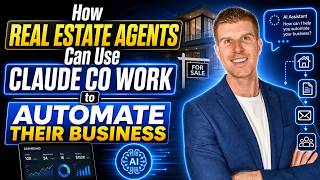
Claude Cowork for Real Estate Agents: AI Automations, Skills, Connectors, and Real Estate Workflows
189 views

How To Generate Real Estate Leads With Facebook & Instagram Ads
138 views

Building Real Estate Relationships Through Events, AI, and Value | Chicago Title x S&S Mortgage Team
18 views
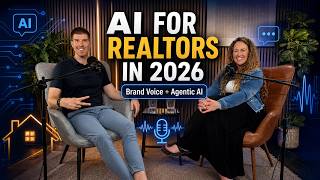
How Real Estate Agents Can Use AI Without Losing Authenticity | Podcast
34 views

Gamma App Graphics Feature Tutorial: Create Infographics, Posters, Social Media Posts & More!
396 views