
The Studio One Tutorial for Music Producers (6 Hour Course)
🛍️ Products Mentioned (1)

🛍️ My Amazon Gear List: https://geni.us/vgHc Ready to produce your own music? This complete 6-hour beginner course will walk you step-by-step through everything you need to know — from software setup to recording, beat making, mixing, and releasing your first track. Whether you’re brand new to Studio One, or you’ve used it a little and want to build your skills, this course is packed with practical, beginner-friendly lessons. You’ll learn how to make beats, record vocals and MIDI instruments, mix with plugins, arrange your song, and give your mix a polished, release-ready sound. ✋ Disclaimer: Some links are affiliate links which means if you buy something I may make a small commission at no additional cost to you. As an Amazon Associate, I earn from qualifying purchases. Timestamps: 0:00 Intro 0:01:18 Studio One Software Setup and Install 0:14:59 Low Latency Settings for Studio One 0:26:28 Click Track and Metronome Setup 0:33:18 Getting Started With MIDI Keyboards 0:51:21 PRESENCE Studio One VST Tutorial 1:25:59 Recording With Third Party VSTs in Studio One 2:17:09 IMPACT Studio One VST Tutorial 2:41:23 Creating An Arrangement in Studio One 2:51:45 Recording Multiple Takes in Studio One 2:59:13 How to Record Vocals in Studio One 3:32:58 Using Clip Gain on Recorded Tracks 3:42:33 How to Quantize and Audio Bend Tracks 4:03:21 How to Mix Vocals in Studio One 4:17:58 How to Use Audio Plugins 5:04:39 10 Best Stock Plugins in Studio One 5:19:12 Great Features to Know in Studio One 5:41:22 How to Get Louder Mixes 6:01:26 How to Release Your Song to Spotify 6:20:18 Closing
🎬 More from Chris Green | Home Studio Producer
MAJOR Audio Quality Upgrade! Adobe Podcast Premium
236 views
Give me 26 minutes, and I'll save you YEARS of Live Sound struggles
1.1K views
STOP Paying Full Price for Fender Studio Pro!
4.8K views
Fender Quantum LT4 Full Guide - Features, Software, & Setup!
1.8K views
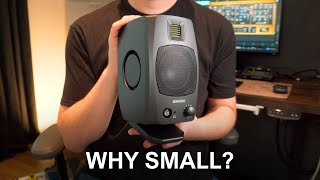
Why Your Small Studio Needs Small Speakers (Adam D3V)
709 views
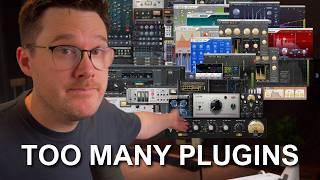
I’m Begging You to Stop Buying Plugins (Do This Instead)
2.8K views