
Undervolting = cooler graphics card, same performance!
🛍️ Products Mentioned (5)
You can experiment with MSI Afterburner, download here
The game played is THUGPro - a THUG 2 mod that allows you to play online and includes multiple levels from all THPS games, more info here
Bit Product
Bit Product
Video games on the cheap
There are multiple ways to make your GPU run cooler. I talked about making a custom fan curve in one of my previous videos, but here I discuss **undervolting**, how it works and why you should use it! It makes your graphics card run cooler and consume less power without losing anything. You can experiment with MSI Afterburner, download here: https://www.msi.com/page/afterburner The game played is THUGPro - a THUG 2 mod that allows you to play online and includes multiple levels from all THPS games, more info here: http://tonyhawkgames.wikia.com/wiki/THUG_Pro Use these links when shopping to support the channel: UK: http://bit.ly/4NGT_UK US: http://bit.ly/4NGTUS Video games on the cheap: http://www.cdkeys.com/?mw_aref=4NGT Twitter: https://twitter.com/4neigner Facebook: https://www.facebook.com/4Ngamingtech Instagram: https://www.instagram.com/fore1gner/
🎬 More from foreign's gaming tech

Nvidia's Geforce Partner Program - Why It's Dangerous
1.2K views

Channel update V2!
357 views

Which GTX 1070 Ti to buy? 26 different cards compared.
96.2K views
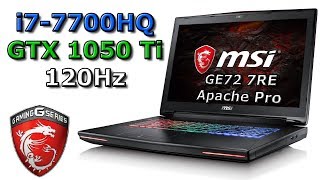
Great eSports Gaming Laptop - 120 Hz, i7-7700HQ, 1050 Ti! MSI GE72 7RE Apache Pro
1.6K views

What to do with a dead graphics card?
11.3K views

Intel i7-8700K build - Streaming and Gaming for $1600?
9.6K views