
How to Connect Your Power Speakers, Mixer & Powered Subwoofer Harbinger VR-412 VRS-18
🛍️ Products Mentioned (1)
VR412 Full-Range Speaker As a Main Speaker with VRS18 Subwoofer info Learn more at https://geni.us/VR-Info 1: Check ROUTING Make sure ROUTING is set for your use If using a single VR412, set to Normal (Mono) If linking two VR412s for stereo operation, set first VR412 to Stereo Master, set second VR412 to Link In If linking two VR412s for mono operation, set first VR412 to Normal (Mono), set second VR412 to Link In WHEN ROUTING IS SET TO LINK IN, all inputs except LINK IN are disabled/muted on that VR412 2: Check VOICING VOICING should be set to match your use Standard is full frequency response Club has extra bass Speech removes low frequencies, for less feedback potential, and greater intelligibility Floor Monitor is for use a floor “wedge” 3: Check SUB CUT SUB CUT should be off, unless feeding a subwoofer This is only used when connecting a subwoofer to VR412’s MIX OUT Instructions for use with a VRS18 subwoofer are here 4: Connect and configure inputs At least one INPUT should be connected to a source you want to hear from VR412 For INPUT 1 or 2, the Mic/Guitar/Line switch should match the source type For any inputs used, turn the INPUT knob to noon (middle), then adjust as needed Complete details of input capabilities are here 5: Check levels, and watch out for CLIP & LIMIT LEDs Look out for CLIP and LIMIT LEDs If any of these are lit, sound will be distorted If any CLIP LEDs lights, turn down that INPUT knob, until the CLIP LED no longer lights If the LIMIT LED lights, turn down VR412’s VOLUME 6: Use LINK IN & LINK OUT to connect a second VR412 A second VR412 or other speaker can be linked from this one Connect the LINK OUT to feed the next VR412 or other speaker If that next speaker is a VR412, connect to its LINK IN, and set its ROUTING to Link In Complete details of linking capabilities are here 7: Use MIX OUT to connect a SUBWOOFER A VRS18 or other subwoofer can be connected from a VR412 Connect the MIX OUT from the VR412 to feed the VRS18 or other subwoofer Turn on VR412’s SUB CUT, and set VRS18’s CROSSOVER FREQUENCY to Full-Range Output Details on connecting subwoofers are here 🔴 Subscribe For More Great Videos from 🌴 https://www.youtube.com/c/expertisland?sub_confirmation=1 Some products may have been supplied by the manufacturers for the Making of this video. As a Guitar Center affiliate, I earn from qualifying purchases. As an Amazon Associate, I earn from qualifying purchases. 00:00 How to Setup & Connect your PA System 00:45 How to Connect your Gear 01:14 How to Connect One Speaker 02:39 Microphone to you Speaker 03:59 How to Connect a 2nd Speaker 04:48 How to Turn On Your Speakers 06:03 How to Add A Mixer 07:41 How to Setup the Mixer 08:51 Mixer Tip! 10:07 Adding a Subwoofer 11:47 Right Way to Turning on Gear
🎬 More from expert island - Robin Saulnier

Part 2 - Simple Karaoke Setup No IPad needed for Bars & Restaurants (Singa Lite Guide)
420 views

Professional Karaoke for your Bar & Venue with iPad & Singa Pro (Full Setup Guide)
1.6K views
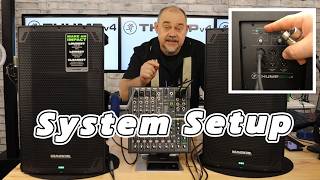
How to Setup Pa System - Mackie THUMP12V4 Powered Speakers w/ Mixer and Subwoofer ProFX10v3
2.9K views

Mackie THUMP v4 THUMP12v4 & Thump15S Sub, What They DON’T Tell You #mackiegear
4.3K views

🔴 LIVE Show👉 Facebook Marketplace Deals? The Gear Guys Special – Can You Really Find a Deal?
498 views

MAKING MONEY Repairing Audio Gear and Powered Pa Speaker System
294 views