
How to Setup Pa System - Mackie THUMP12V4 Powered Speakers w/ Mixer and Subwoofer ProFX10v3
🛍️ Products Mentioned (2)
🔗 Check out the gear here Guitar Center https://geni.us/GC-THUMP Amazon https://geni.us/AM-Thump How do you properly set up your Mackie Thump V4 speakers with a mixer and subwoofer? In this video, we walk through a complete step-by-step setup using the Mackie Thump 12A V4 speakers, the Mackie Thump 15S V4 subwoofer, and the Mackie ProFX10v3 mixer. This is a full system setup designed for DJs, live events, karaoke setups, and small PA systems. We cover how to connect your mixer to your speakers, how to properly integrate a subwoofer, and how to get clean, balanced sound from your entire system. Whether you're setting up for a party, event, or live performance, this guide will help you avoid common mistakes and get the best sound out of your Mackie Thump V4 system. 🔊 Gear Used in This Setup: Mackie Thump 12A V4 Powered Speakers Mackie Thump 15S V4 Subwoofer Mackie ProFX10v3 Mixer 🎯 What You’ll Learn: How to connect a mixer to powered speakers How to properly add a subwoofer to your system Gain staging basics for clean sound Signal flow and routing explained Common setup mistakes and how to avoid them If you're building a PA system or upgrading your current setup, this is the correct way to connect and run a mixer with Mackie Thump V4 speakers and subwoofer. #mackie #thumpv4 #pasystem #livesound #djsetup 00:00 Full Mackie V4 System Setup Introduction 00:33 Bluetooth, Mixer & Subwoofer Overview 01:19 Pre-Wired Mixer & Speaker Connections 01:41 Routing Mixer Into the Subwoofer 02:13 Using the ProFX10v3 3.5mm Input 03:05 ProFX10v3 Features & Audio Interface 03:56 Subwoofer Inputs, Outputs & Highpass 04:45 Invert Mode & Stereo vs Mono Setup 05:31 Highpass Modes for Thump Speakers 06:48 Speaker Inputs, Mic Mode & Outputs 07:52 Bluetooth Pairing & True Wireless Stereo 08:47 Outdoor Mode, Music Ducking & DSP 10:14 Feedback Eliminator Demo Explained 10:49 Flat, DJ, Live & Wedge Modes 11:41 Proper Gain Structure & Signal Levels 12:55 Mixer Setup for Better Sound Quality 14:26 ProFX10v3 Features & EQ Controls 15:01 Final Thoughts on the Mackie V4 System 15:56 Outro & Next Setup Video 🔴 Subscribe For More Great Videos from 🌴 https://www.youtube.com/c/expertisland?sub_confirmation=1 Some products may have been supplied by the manufacturers for the Making of this video. As a Guitar Center affiliate, I earn from qualifying purchases. As an Amazon Associate, I earn from qualifying purchases.
🎬 More from expert island - Robin Saulnier
Part 2 - Simple Karaoke Setup No IPad needed for Bars & Restaurants (Singa Lite Guide)
420 views
Professional Karaoke for your Bar & Venue with iPad & Singa Pro (Full Setup Guide)
1.6K views
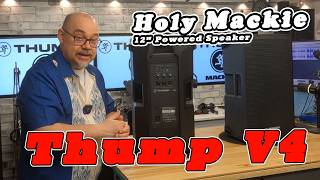
Mackie THUMP v4 THUMP12v4 & Thump15S Sub, What They DON’T Tell You #mackiegear
4.3K views

🔴 LIVE Show👉 Facebook Marketplace Deals? The Gear Guys Special – Can You Really Find a Deal?
498 views
MAKING MONEY Repairing Audio Gear and Powered Pa Speaker System
294 views

🔴 LIVE Show👉 5 Rockville Speakers James Should Review
571 views