
Better color saturation in Photoshop
🛍️ Products Mentioned (11)
Adobe Photoshop
What’s in my bag
My LUTs and presets
Music and SFX for videos
Photography
Blog
Glass
Amazon
Geni Product
Adorama
TK9 PLUGIN
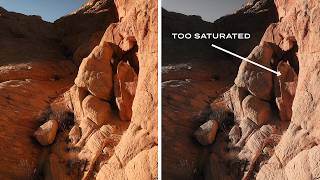
In a follow-up to my previous video about adjusting saturation in Adobe Lightroom, this video tackles the same topic in Photoshop using adjustment layers and the LAB color mode. Adobe Photoshop: https://bit.ly/3FpbJmt TK9 Photoshop Plugin: https://bit.ly/4a5YFiO 🎒 GEAR AND LINKS What’s in my bag: https://bit.ly/dominey-gear My LUTs and presets: https://dominey.lemonsqueezy.com/ Music and SFX for videos: https://bit.ly/dominey-epidemic-sound Photography: https://dominey.photography Blog: https://blog.dominey.photography Instagram: https://instagram.com/dominey Glass: https://glass.photo/tdominey Email: dominey@gmail.com LEGAL DISCLOSURE Some of the links in this description will direct you to online stores where I may earn referral credits at no additional cost to you. If you want to shop and support this channel, you may also use the following storewide links. 🛒 Amazon: https://geni.us/gotoamazon 🛒 B&H: https://geni.us/shopbandh 🛒 Adorama: https://geni.us/shopadorama
🎬 More from Todd Dominey
Wind is the enemy of sharp photos. Here's how to beat it.
2.0K views
Real Fujifilm film colors: Color Precision profiles for Lightroom
7.6K views
Mora
4.4K views
You're not a bad photographer. You're just in stage 2.
6.4K views
The saturation check you should be doing (but probably aren't)
8.4K views
Why your shadows look fake (and what to do about it)
8.8K views