
How to Properly Use Gumroad to Host and Sell a Course
🛍️ Products Mentioned (5)
This video will quickly show how to properly set up your Gumroad content for hosting courses making it easier for your audience to use. I use my Uscreen Quickstart Course as a reference point: https://tinyurl.com/uscreen-quickstart Timestamps 00:00 Creating a New Product 04:27 Showcasing my Uscreen Quickstart Guide for streaming 05:22 Showcasing my Vimeo OTT Quickstart Guide for streaming 06:00 Doing a test purchase to access streaming 07:39 Accessing content on mobile – – – – – – ✅COURSES $14.99 Vimeo OTT Quick Start Course = https://tinyurl.com/vimeott-quickstart $24.99 Uscreen Quick Start Course = https://tinyurl.com/uscreen-quickstart 🧰TOOLS – RESOURCES Screencast-o-Matic (Screen recording software) = https://tinyurl.com/dljworks-screencast TubeBuddy (YouTube Keyword Research and more) = https://www.tubebuddy.com/mydljworksbuddy SUPPORT THE CHANNEL 💵Cash App - $DeShaunLJ 🅿Paypal - https://www.paypal.me/dljworks CONTACT ME DIRECTLY Email - dljworks4you@gmail.com G. Phone - 512-387-4792 (please text)
🎬 More from dljworks

How to Make Money with HTML and CSS in 2026
220 views
How to Easily Transcribe Entire Videos for FREE Using Google Gemini
578 views

Why I’m Going All in on JavaScript in 2024
120 views
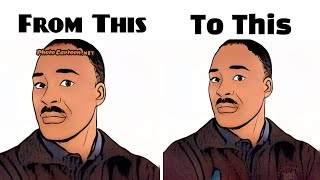
How to Remove a Watermark and Get Original Image Free Using Photoshop
381 views
How to Change Button Text in Vimeo OTT Themes
358 views
Only Knowing HTML & CSS Does Not Make You a Software Engineer
172 views