
How to Access the New X Twitter Advertising Dashboard
🛍️ Products Mentioned (14)
See the full guide
If you want the full write-up and step-by-step guide, read the blog here
Learn more about AutomationLinks
1. GoHighLevel CRM
2. Freelancers
5. Website Builder
6. Payment Processor
7. X (Twitter) Software
8. Hyros (best tracking software
9. SEO Software

10. e-Commerce Website Builder
11. Email Marketing
12. Membership Software
Most businesses do not need more complicated ads. They need simple retargeting ads that help them stay top of mind and follow up with leads. Get the full system
They changed the X ads dashboard again. Connect with me here for help https://x.com/bradsmith Honestly, I do not think anything really got better. If anything, it may have even gotten a little worse. But if your account is stuck, halted, or you are just trying to figure out where everything moved, this video should help. I break down what changed, what still matters, and what I would actually do if I were setting up X ads right now. A lot of people think the problem is the dashboard. Most of the time, it is not. The bigger issue is they are trying to run ads from a blank account, no real website, no privacy page, no organic posts, and no relationship-building strategy behind the ad. Why would they let you run ads if your account is blank? In this video, I show you how to access the new X Twitter advertising dashboard, where billing is, how to set up the account the right way, why I still like Reach campaigns, how to use your pixel, and why your first goal should be getting people to follow you, trust you, and remember you before trying to force a sale. See the full guide here https://automationlinks.com/blog/how-to-access-the-new-x-twitter-advertising-dashboard What I cover in this video: 1. How to access the new X ads dashboard 2. Why X ads accounts get halted or paused 3. What your profile needs before you run ads 4. Where to update billing and what changed 5. Why I still recommend Reach campaigns 6. How to use organic posts and your pinned post 7. How to install the X pixel and build retargeting audiences 8. Why relationship marketing matters more than fancy ad settings Links mentioned in the video: Website: https://www.automationlinks.com Relationship Marketing System: https://automationlinks.com/relationship-marketing X account / DM Brad: https://x.com/bradsmith X ads playlist: https://youtube.com/playlist?list=PLyuEfTDekoKaxTGLp6Z-jcMgmxxyBJSsw&si=V8BWzh2P3vls2IyO X ads rep access: Follow my profile, DM me with your username and email associated with your account, and we'll get you access. X Pixel Helper: Google search X Pixel Helper If you want the full write-up and step-by-step guide, read the blog here: https://www.automationlinks.com/blog/how-to-access-the-new-x-twitter-advertising-dashboard CHAPTERS: 00:00 How to Access the New X Twitter Advertising Dashboard 00:29 Why X Ads Accounts Get Halted or Stopped 01:10 What Your X Profile Needs Before Running Ads 02:12 Why the New X Ads Dashboard Feels Like a Reset 02:55 How to Update Billing in the New X Dashboard 03:38 What Changed Inside Analytics and Campaigns 05:10 Why I Still Recommend Reach Campaigns 07:30 How to Choose Countries, Language, and Audience Size 08:54 How to Use Keywords and Follower Lookalikes 10:57 Why Your First X Ad Should Build Trust First 12:00 How to Use Organic Posts and Your Pinned Post Here are three simple tips you can use today: 1. How do I access the new X Twitter advertising dashboard? The easiest way is to log into your X account, go to the ads section, and look for the updated dashboard experience inside your account settings or business tools area. What throws a lot of people off is that the layout feels different than before, so at first it can seem like things disappeared when really they just moved. 2. Why is my X ads account paused, halted, or not letting me run ads? A lot of times it comes down to trust and setup issues, not just the ad itself. If your profile looks incomplete, your billing is wrong, your account has had previous issues, or X does not trust the account yet, you can run into funding paused, halted, or limited delivery problems. 3. What is the best first campaign to run in the new X ads dashboard? I still like starting with a reach campaign for most businesses, especially if the goal is to get known, build trust, and stay in front of the right audience before asking for the sale. Too many people want to run ads cold to an offer right away, but if nobody knows you yet, that usually makes things harder than it needs to be. Brad’s Affiliate Recommendations: 1. GoHighLevel CRM: https://www.gohighlevel.com/freetrial9?fp_ref=bradsmith 2. Freelancers: https://go.fiverr.com/visit/?bta=821402&brand=fp 3. Website Builder: https://duda.sjv.io/automationlinks 4. Payment Processor: https://checkout.samcart.com/referral/wYwf9Zq0/XgSEgnb4nOGtJeTM 5. X (Twitter) Software: https://www.creatorbuddy.io/?via=brad 6. Hyros (best tracking software: http://hyros.com/affiliate-grow.html?fpr=brad52 7. SEO Software: https://dashboard.searchatlas.com/register?fpr=brad11&fp_sid=al 8. e-Commerce Website Builder: https://www.shopify.com/?ref=automationlinks1 9. Email Marketing: https://www.mailerlite.com/a/grs6psegyu 10. Membership Software: https://www.memberspace.com/?via=brad
🎬 More from Brad Smith
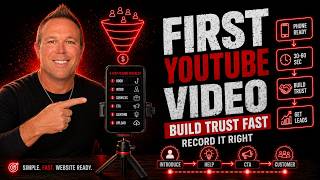
How to Make Your First YouTube Video and Get More Leads
59 views
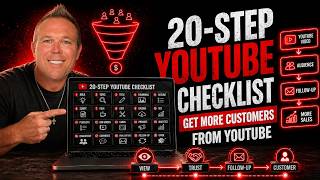
How I Use YouTube to Get Leads: My 20-Step Checklist
109 views
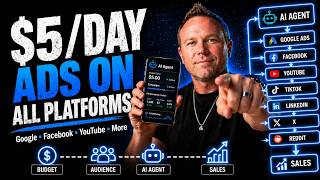
How to Use AI to Run Ads on Google, Facebook, and YouTube
231 views
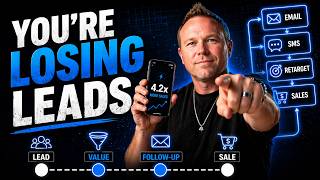
How to Automate Follow Up With AI and Turn More Leads Into Sales
104 views
How to Create Content With AI Marketing Automation to Get More Leads
128 views
How to Automate Your Marketing in 2026
98 views