
How to Make Your First YouTube Video and Get More Leads
🛍️ Products Mentioned (1)
It took me six months to make my first YouTube video. I was scared. I was nervous. But 10 years later, I have made over a thousand videos, and YouTube helps our business get about 200 new leads every single month. Now what about you? Are you nervous to make videos? Do you know you need to make them, but you procrastinate and do not take the time? In this video, I break it down and show you exactly how to make your first YouTube video, put it on your website, build trust, and help turn visitors into customers. The goal of your first video is not to be fancy. The goal is to build a relationship. You want people to feel like they know you, trust you, and feel more comfortable getting on a sales call or buying your product when they are ready. This works for almost any type of business that wants to get more sales online, whether it is eCommerce, B2B, service businesses, personal brands, or local businesses. Once you make your first video, come back and comment your brand name down below so I can be your first subscriber. CHAPTERS: 00:00 It took me six months to make my first video 00:32 Why YouTube helps us get 200 leads per month 01:05 What your first YouTube video should do 01:42 Use the video on your website and YouTube channel 02:15 Step 1: Know the goal of the video 03:05 Step 2: Keep it short and simple 03:45 Step 3: Introduce yourself and thank them 04:25 Step 4: Mention 3 to 6 services you offer 05:05 Step 5: Tell them exactly what to do next 05:50 Step 6: Record it the right way 06:40 Simple welcome video script you can copy In this video, you will learn: How to make your first YouTube video How to record a welcome video for your website How long your first video should be What to say in your first YouTube video How to build trust with video How to use video on your website How to introduce yourself on camera How to explain how you help How to tell visitors what to do next How to record with your phone How to look into the camera How to use better lighting How to choose a better background How to get more leads from YouTube videos Your first video does not need to be perfect. It just needs to be real. Introduce yourself. Thank them for visiting. Explain how you can help. Tell them what to do next. That is it. You are not trying to make a commercial. You are trying to make the visitor feel like they already met you. The best sales calls happen when someone says: “I have been watching your videos. I feel like I know you. I trust you. I am ready to work with you.” That is what your first video should do. It should help people get to know you before they ever fill out a form, book a call, or buy your product. For your first video, keep it short. 30 seconds to 1 minute is a great place to start. Use simple language. Use one clear message. Do not tell a long story. Do not read a commercial-style script. Just speak like one person is listening. Here is a simple script you can use: “Hey there, my name is [Your Name].” “Thank you so much for coming to our website.” “If you’re looking for [Service 1], [Service 2], [Service 3], or [Service 4], you’ve come to the right place.” “We’re looking forward to helping you with whatever you need.” “All you have to do is [fill out the form / click the button / start a live chat / book a call], and we’ll be happy to help.” You can record this with your phone. Turn your phone horizontally. Look into the camera. Use good lighting. Keep the background clean. Use a good mic if you can. Keep it right around a minute long. Then put that video on your website, your about page, your landing page, and your YouTube channel. If you need help building up your YouTube channel, check out the playlist down below so you can keep learning how to make more videos like this. And if you want the checklist from this video, check the first comment below. If this video brought you any value, it would be great if you subscribed to my channel. And by the way, who are you? What is your business? Leave your business name in the comments down below so I can go follow, support, and connect with you back. Learn more about AutomationLinks: https://www.automationlinks.com #YouTubeMarketing #YouTubeForBusiness #VideoMarketing #SmallBusinessMarketing #WebsiteVideo #GetMoreLeads #AutomationLinks #BradSmith
🎬 More from Brad Smith
How I Use YouTube to Get Leads: My 20-Step Checklist
109 views
How to Use AI to Run Ads on Google, Facebook, and YouTube
231 views
How to Automate Follow Up With AI and Turn More Leads Into Sales
104 views
How to Create Content With AI Marketing Automation to Get More Leads
128 views
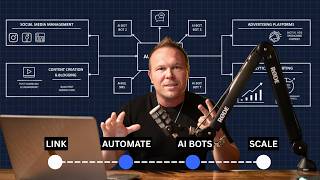
How to Automate Your Marketing in 2026
98 views
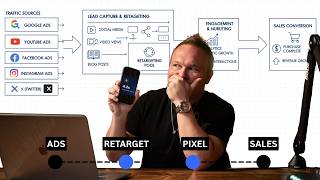
How to Use $5 a Day Retargeting Ads for Relationship Marketing
145 views