
how to make stitching holes in Adobe Illustrator even with rounded corners. Leathercraft Patterns.
🛍️ Products Mentioned (2)

When it comes to making leather patterns in adobe illustrator there are some pitfalls that are common to run into. One pitfall is when you curve the corners of your leather patterns the holes no longer line up correctly and adding pockets will become difficult. In this video I share with you a simple fix so your leather patterns will come out with stitching holes that are straight and symmetrical around the entire leather craft pattern. I hope this helps you with this common problem. Subscribe to my channel: https://www.youtube.com/channel/UCim9LMjdhWVwA-sNbgCq-Xw?sub_confirmation=1 My Amazon affiliate links. Ordering from these links help support the channel at no additional cost! ====================================================== 🔥My Affiliate shop: https://www.amazon.com/shop/baronleathercraft COME ENJOY MY ETSY SHOP ====================================================== ETSY: https://www.etsy.com/shop/baronleathercraft BARON LEATHER CRAFT SOCIAL MEDIA ====================================================== FACEBOOK: https://www.facebook.com/baronleathercraft INSTAGRAM: http://www.instagram.com/baronleathercraft #leathercraft #leatherworking #craftvideos #stitching #inkscape #stitchingholes
🎬 More from Baron Leather Craft
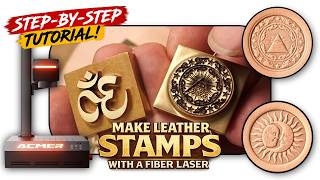
How to Make DIY Leather Stamps with a Fiber Laser (Depth Maps)
330 views

AlgoLaser Pixi IR Review & Tutorial | No Computer Needed?
175 views

How to Engrave 3D Coins for Beginners! | Complete Laser Guide!
914 views

ACMER 100W MOPA Fiber Laser | Real Engraving Tests on Metal, Slate & More
2.7K views

I Tested the Sculpfun iCube Ultra (Beginner Review)
1.6K views

Vevor Automatic Heat Press Review — Easy DIY Shirt Printing + Bonus Leather Test
1.4K views