
How to Engrave 3D Coins for Beginners! | Complete Laser Guide!
🛍️ Products Mentioned (5)

Final Optimized Description Ever wondered how to get that deep, professional 3D relief on a brass coin? In this video, I’ll walk you through the complete process—from start to finish—using an ACMER 100W MOPA fiber laser. This beginner-friendly guide is designed to help you understand 3D engraving without the guesswork. We’ll cover how LightBurn interprets depth maps (grayscale images), how to choose the right bas-relief artwork, and how to dial in your setup for consistent, high-quality results. I’ll also share my exact LightBurn settings, along with my finishing process using Brass Black and Renaissance Wax to achieve that antique, professional look. In this video, you’ll learn: 🧠 Depth Maps Explained — How grayscale controls engraving depth 🎯 Image Selection — Why bas-relief images with minimal shading work best 🛠️ Hardware Setup — Using an XY table and coin jig for precise alignment ⚙️ LightBurn Settings — My setup for a 100W MOPA fiber laser ✨ Finishing Techniques — Brass Black and Renaissance Wax for final results! Software Link: 🔗 Sculptok (Depth Map Creation): https://www.sculptok.com/ 🔥ACMER 100 watt MOPA Fiber Laser Link: https://tidd.ly/3N2zS9o Vevor Magnetic tumbler: https://s.vevor.com/QT0J1V Support the Channel: Everything used in this video can be found on my Amazon affiliate page. Ordering from these links helps support the channel at no additional cost to you! 🔥 My Affiliate Shop: https://www.amazon.com/shop/baronleathercraft 🔔 Subscribe: https://www.youtube.com/channel/UCim9LMjdhWVwA-sNbgCq-Xw?sub_confirmation=1 Visit My Etsy Shop: 🛒 ETSY: https://www.etsy.com/shop/baronleathercraft Follow Me: 📸 INSTAGRAM: http://www.instagram.com/baronleathercraft 📘 FACEBOOK: https://www.facebook.com/baronleathercraft Video Chapters: 0:00 Intro & First Impressions 0:19 Preparing & Cleaning Brass Coin Blanks 0:44 Depth Maps Explained: How 3D Engraving Works 1:47 How to Choose the Perfect 3D Image 4:29 Creating a Depth Map in Sculptok 6:10 Master 3D Settings for LightBurn 8:29 Precision Alignment on the ACMER 100W MOPA 9:09 3D Engraving Time-Lapse (Side A) 9:50 The Importance of the Cleaning Pass 10:37 3D Engraving Time-Lapse (Side B) 11:21 Tumbling & Magnetic Polishing 12:48 Antiquing with Brass Black for Deep Contrast 14:07 Sealing the Finish with Renaissance Wax 14:30 The Final Reveal! #fiberlaser #3Dlaserengraving #3Dcoin #laserengraving #lightburn #MOPAlaser #ACMER
🎬 More from Baron Leather Craft
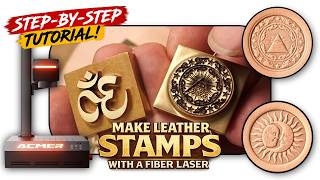
How to Make DIY Leather Stamps with a Fiber Laser (Depth Maps)
330 views
AlgoLaser Pixi IR Review & Tutorial | No Computer Needed?
175 views
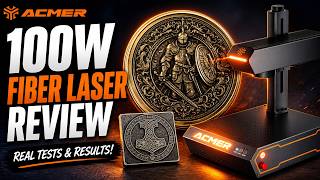
ACMER 100W MOPA Fiber Laser | Real Engraving Tests on Metal, Slate & More
2.7K views
I Tested the Sculpfun iCube Ultra (Beginner Review)
1.6K views
Vevor Automatic Heat Press Review — Easy DIY Shirt Printing + Bonus Leather Test
1.4K views
DIY Custom Leather Hair Barrettes! Free Templates!
11.7K views