
How to make stitching holes and patterns in Affinity Designer 2! Leathercraft
🛍️ Products Mentioned (3)

How to make leather patterns. Hello Leather Crafters and seamster. Welcome to our comprehensive step-by-step tutorial on creating stitching holes and patterns in Affinity Designer 2! Additionally, I'll share my experience on which software is better for creating leather patterns and stitching holes: Adobe Illustrator or Affinity Designer 2. In this tutorial, you'll learn: -How to set up your workspace in Affinity Designer 2 -Techniques for creating accurate stitching holes -Methods for designing and applying stitching patterns -Comparison between Adobe Illustrator and Affinity Designer 2 for leather pattern design Why watch this tutorial? -Detailed, easy-to-follow instructions -Visual demonstrations to enhance your learning experience Link to Affinity Designer 2: https://affinity.serif.com/en-us/designer/ My Amazon affiliate links. Ordering from these links help support the channel at no additional cost! ====================================================== 🔥My Affiliate shop: https://www.amazon.com/shop/baronleathercraft Subscribe to my channel: https://www.youtube.com/channel/UCim9LMjdhWVwA-sNbgCq-Xw?sub_confirmation=1 COME ENJOY MY ETSY SHOP ====================================================== ETSY: https://www.etsy.com/shop/baronleathercraft BARON LEATHER CRAFT SOCIAL MEDIA ====================================================== FACEBOOK: https://www.facebook.com/baronleathercraft INSTAGRAM: http://www.instagram.com/baronleathercraft 00:00 Intro 01:47 set up work space in Affinity Designer 2 02:57 Enter workspace of Affinity Designer 2 03:53 Create a shape for card wallet 04:28 setting up fill color and stroke 06:05 Create offset path for stitch line 07:22 turning offset path into stitching dots 11:18 rounding the corners 14:24 tweaking the corners 17:00 stitching balanced button 18:54 Creating the wallet pockets 20:52 Nodes to modify the pockets 24:48 Copy into LightBurn 29:05 Final touches in Affinity Designer 2 29:23 Change stitching line to individual holes 30:24 Finalize pockets in Affinity Designer 2 32:15 Checking our work 33:26 Conclusion Thank You! #stitchingholes #affinitydesignertutorial #leatherpatterns #laserpatterns #leathercraft #leatherworking #craftvideos
🎬 More from Baron Leather Craft
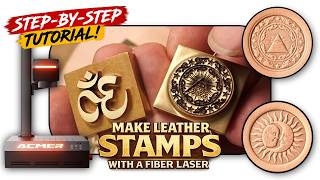
How to Make DIY Leather Stamps with a Fiber Laser (Depth Maps)
330 views

AlgoLaser Pixi IR Review & Tutorial | No Computer Needed?
175 views
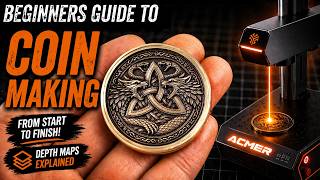
How to Engrave 3D Coins for Beginners! | Complete Laser Guide!
914 views

ACMER 100W MOPA Fiber Laser | Real Engraving Tests on Metal, Slate & More
2.7K views

I Tested the Sculpfun iCube Ultra (Beginner Review)
1.6K views
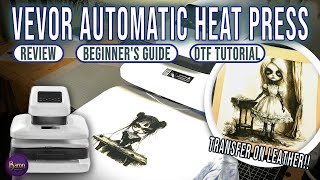
Vevor Automatic Heat Press Review — Easy DIY Shirt Printing + Bonus Leather Test
1.4K views