
Editing Solo Video Podcast Episodes - Descript Tutorial
🛍️ Products Mentioned (5)
Want to learn how to edit your own content using Descript? https://www.bambyacademy.com/learndescript Book 1:1 Descript Tutoring: https://www.bambymedia.com/editing-tutoring Access the full course in order: https://www.bambymedia.com/diypodcaster Download Descript: https://www.descript.com/?lmref=oXvi0Q Free Rapid Podcast Audit: https://www.bambymedia.com/free-podcast-audit This video is part of our "DIY PODCASTER" series, where we teach you how to record and edit your podcast using Descript. -- In today's lesson, I walk you through how to edit your solo video episodes using Descript. As you'll see from this lesson, you can go into varying degrees of editing production based on the time that you have to devote to the task. To bolster the visual appeal of your content, I introduce ways to incorporate graphics, GIFs, and sound effects. These not only make videos lively but also keep the audience more engaged. If you don't have the time to create a full-on production all the way through, I suggest at least focusing on "front loading" your editing to include engaging content within the first 30-60 seconds of your episode. This not only retains viewership but also aligns favourably with YouTube's algorithm. -- CHAPTER MARKERS -- 00:00 Introduction 00:55 Editing Solo Episodes with Descript 04:15 Enhancing Videos with Graphics and GIFS 10:01 Adding Sound Effects 11:05 Adding and Styling Captions
🎬 More from Bamby Media
How to Record Guests using Riverside
41 views
Scheduling a Future Descript Rooms Podcast Recording Session with a Guest
69 views
Apple Podcasts Moves Into Video: What This Actually Means for Podcasters
155 views
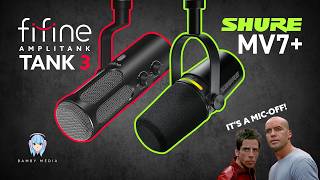
Fifine Amplitank Tank 3 Versus Shure MV7+
151 views
Fifine Amplitank Tank 3 Review: The Best Budget Mic for Beginners?
260 views
Elgato Wave Desk Stand Review: Better Than a Boom Arm?
1.4K views