
Creating A Podcast Template in Descript - Descript Tutorial
🛍️ Products Mentioned (5)
Want to learn how to edit your own content using Descript? https://www.bambyacademy.com/learndescript Book 1:1 Descript Tutoring: https://www.bambymedia.com/editing-tutoring Access the full course in order: https://www.bambymedia.com/diypodcaster Download Descript: https://www.descript.com/?lmref=oXvi0Q Free Rapid Podcast Audit: https://www.bambymedia.com/free-podcast-audit --- This video is part of our "DIY PODCASTER" series, where we teach you how to record and edit your podcast using Descript. --- In this lesson, I'll guide you through the process of creating a reusable template using the intro and outro you've made. This will cut down your workload for your individual episode edits, and is highly encouraged! We'll start from the main dashboard, dive into arranging these elements using layers, and ensure the audio levels are set just right. I'll demonstrate the distinction between the intro and outro scenes and walk you through saving and publishing your template. By the end, you'll be all set and ready to record your first episode and any subsequent episodes into Descript. --- CHAPTER MARKERS 00:49 Introduction 00:49 Creating a Template for Your Podcast in Descript 01:08 Adding the Intro to Your Template 01:35 Understanding the Main Timeline and Layers 02:01 Setting the Audio Level 02:31 Adding the Outro to Your Template 03:31 Saving and Publishing Your Template 04:04 Conclusion: Using Your Template for Future Episodes
🎬 More from Bamby Media
How to Record Guests using Riverside
41 views
Scheduling a Future Descript Rooms Podcast Recording Session with a Guest
69 views
Apple Podcasts Moves Into Video: What This Actually Means for Podcasters
155 views
Fifine Amplitank Tank 3 Versus Shure MV7+
151 views
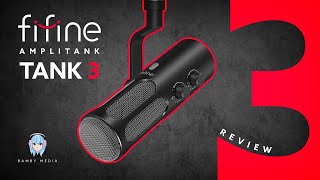
Fifine Amplitank Tank 3 Review: The Best Budget Mic for Beginners?
260 views

Elgato Wave Desk Stand Review: Better Than a Boom Arm?
1.4K views