
Passive Chats vs Active Agents ⚡️ Intro To Agentic AI Automations (Tasklet AI)
🛍️ Products Mentioned (16)
Have you ever wondered if AI could automate the tasks you hate most to save you time & energy? Introducing Tasklet AI
Recalibrating](
My [Website](
My [Print Shop](
[Farcaster](
[Flipboard](
[Pinterest](
[Reddit](
The [Waking Up App](
[Obsidian](
[Adobe Suite](
6. Camera [Sony A7iii](
7. Lens [Sony F2 28 mm](
8. Tripod [K&F Concept](
9. Main Lighting Neewer 660 PRO RGB
9. Lighting [Ubeesize Ring Light](
Have you ever wondered if AI could automate the tasks you hate most to save you time & energy? Introducing Tasklet AI https://tasklet.ai/ Built by the creators of Firebase, Tasklet has the flexibility of a chatbot with the consistency of automation tools. Tasklet has finally upgraded Agentic AI to the level of personal assistant that's making my life easier, but that's just the beginning of what you can do with it ✨ Use the discount code WANDERLOOTS when you upgrade to paid for a special rate (limited time) 😊 Tasklet is an AI automation platform that transforms each conversation into a specialized AI agent—not just a chatbot, but an active worker. Unlike rigid automation tools like Zapier or manual AI assistants like ChatGPT, Tasklet combines flexibility with automation power. You control agents as easily as editing a Google Doc or sending a text message, and they can connect to thousands of apps (Gmail, Drive, GitHub, Slack, Notion, Outlook) to handle complex workflows. Agents run on triggers (new emails, schedules, webhooks, or text commands) and execute tasks in a sandbox environment—writing code, running tests, extracting data, and pushing to production systems—all while handling edge cases that would break traditional automation tools. This tutorial walks through building three real-world automations: 1) a research assistant leveraging flexible instructions in Google Drive, emailing me the weekly report; 2) an accounting agent that extracts receipts from emails across multiple accounts and syncs them to accounting software with intelligent categorization; 3) an advanced coding agent that autonomously builds apps, runs tests, and pushes to GitHub—all controllable via iMessage. The video also covers how to set up custom API connections (like linking to Obsidian), manage agent permissions, store automation rules in Google Drive for easy updates, and understand Tasklet's privacy model & pricing tiers. Each example progressively increases in complexity, showing you how to go from beginner to expert automation builder. I hope you find Tasklet as helpful as I do! ✨ To learn more about the AI tools I use, check out my AI Learning Playlist: https://www.youtube.com/playlist?list=PLWhMzDKA7vJ7k0CCHAhCNGXH1BKKEo_we P.S. I greatly appreciate any feedback, please let me know what you think 😊 Join My Membership: https://www.youtube.com/channel/UCFiU1vIpPD3lQltke_18m3A/join 💌 Sign up for my [free newsletter: Recalibrating](https://paragraph.xyz/@wanderloots.eth?referrer=wanderloots.eth) Timestamps: 00:00 Intro To Tasklet AI (From The Creators Of Firebase) 01:19 Today's Outline (Features & Beginner To Advanced Examples) 2:11 How Does Tasklet Work? Agents Over Chats 03:34 The Building Blocks (Connections, Triggers & Sandboxes) 04:45 Special Connection: Contact Methods Email & Text 05:22 Triggers aka Automation Workflows 06:30 Virtual Computers aka Sandboxes & Coding 07:33 Getting Started: Ask Tasklet How To Tasklet 09:20 Example Self-Audit Prompts 10:59 Example 1: Research Automation (1 Connection) & Knowledge Base Controls 12:49 Example 1: Connecting To Google Drive 14:42 Example 1: Triggering The Automation 15:55 Example 1: Reviewing The Report 16:50 Example 1: Updatable Rules In Knowledge Base 18:44 Quota Conserving Tip: Dedicated Agents 20:02 Example 2: Multiple Connections Working Together 22:02 Example 2: Wiring The Connections 23:12 Creating Fallback Automations To Cover Edge Cases 24:58 Wave API Access Issues & Advanced Examples 25:39 Virtual Computing, Coding, Testing (& Vibecoding) 27:20 Auto-Debugging & Testing 29:28 Custom API Example: Connecting Local Files (Obsidian) To Tasklet 31:23 Suggestions On How To Get Started 31:49 Privacy & Pricing 32:51 Privacy & Security 33:15 Concluding Thoughts & Ideas On Getting Started WATCH NEXT 🌱 Obsidian & Digital Gardens https://www.youtube.com/playlist?list=PLWhMzDKA7vJ7p50vW-oeZgKR2aDReZFW6 LINKS (MY WORLD) 🧭 [Recalibrating Newsletter Home](https://paragraph.xyz/@wanderloots.eth?referrer=wanderloots.eth) 🌍 My [Website](https://wanderloots.com/) 📸 My [Print Shop](https://wanderloots.darkroom.com/) ✨ SOCIALS 🟣 [Farcaster](https://warpcast.com/wanderloots.eth) 📸 [Instagram](https://www.instagram.com/_wanderloots/) 📰 [Flipboard](https://flipboard.com/@_wanderloots) 📍 [Pinterest](https://www.pinterest.ca/wanderloots/) 🤖 [Reddit](https://www.reddit.com/user/_wanderloots) MY FAVOURITE TOOLS 😴 🤯 The [Waking Up App](https://dynamic.wakingup.com/guestpass/SC4914439) (use this link for a 30 day free trial) 📝 [Obsidian](https://obsidian.md/) (decentralized note-taking) 📹 [Adobe Suite](https://prf.hn/l/lQ9DwpA) (general creativity) EQUIPMENT USED 6. Camera [Sony A7iii](https://amzn.to/3seSHv6) 7. Lens [Sony F2 28 mm](https://amzn.to/3TiWCT2) 8. Tripod [K&F Concept](https://amzn.to/3soCKCP) 9. Lighting [Ubeesize Ring Light](https://amzn.to/3GD02Zy) 10. Main Lighting Neewer 660 PRO RGB: https://amzn.to/3CEcU2V
🎬 More from Wanderloots
Obsidian Smart Plugin Workflow 📝 New Smart Connections + Context AI
7.6K views
How To Build LLM Wiki In Obsidian? 🧠 A Memory Layer For Any Agentic AI
33.5K views
Why Codex? 💡 Build Agentic Workspaces That Improve Over Time
5.9K views

Why LLM Wiki? 🧠 Future Of Knowledge For Agentic AI & Humans
82.7K views
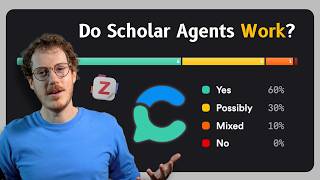
Academic Search Engine + Agentic AI 📚 Consensus & Zotero Deep Research
2.2K views
How To Stay Ahead In An AI World? 💡 Curating Knowledge With Recall Update
4.3K views