
Fix, Repair, Upgrade Electric Ride-On Kids Cars. Replacing the Controller Board to get remote Workin
🛍️ Products Mentioned (16)
geni.us
Electric 12 volt car
Ride On Upgrade Battery Adapters
12/24 volt motors

If you enjoyed this, Subscribe now

** See More Men's Accessories & Things

** See More Power Tools & Things

** See More Children Toys here

** See More Outdoor Games & Toys here

** See More Winter Gear & Sports here

** See More Remote Control Toys

** See More Kitchen Gadgets & Items

** See More Household Appliances & Items

** See More Items for Bedroom & Home

** See More Women's Bags & Accessories here

** See More Baby Things
https://geni.us/rideonBt_CarRC_Board - In this video, I’ll show you how to repair, fix and upgrade your electric ride-on kids car (like Power Wheels, Asom, Volt Toyz and similar models). Whether the remote controller isn’t working, you don't know how to pair it, or if the kids cars is too slow, or the wheel motors need replacing, this video gives you tips and mentions the parts you need. 👉 Whether you’re dealing with a broken ride-on car or just want to enhance it, this DIY repair and upgrade tutorial will help you do it safely and easily. Universal Remote & Controller board - https://geni.us/rideonBt_CarRC_Board Electric 12 volt car - https://geni.us/12vBentleyKidCar Ride On Upgrade Battery Adapters - https://amzn.to/4jDv70G 12/24 volt motors - https://amzn.to/4ilQBxV 🔧 What’s Covered in This Video: - Replacing the main control panel with a new Bluetooth-compatible controller board - Pairing and troubleshooting a Bluetooth remote controller - Upgrading the battery from the standard 6/12V to a faster 18V for more speed and power - Swapping out worn or slow drive motors for improved performance These upgrades can breathe new life into your child’s ride-on car, making it faster, more reliable, and giving you full parental control again. 💬 Drop your questions in the comments and don’t forget to like & subscribe for more cool DIY and repair content! If you enjoyed this, Subscribe now: https://bit.ly/2VW4EpW Business Enquiries message us at unboxingarmychannel@gmail.com #kidscars #rideoncars #rideoncarupgrade ** See More Men's Accessories & Things: https://amzn.to/3AxAxF6 ** ** See More Power Tools & Things: https://amzn.to/3CjLbQH ** ** See More Children Toys here: https://amzn.to/3H0H7a1 ** ** See More Outdoor Games & Toys here: https://amzn.to/3tB3exc ** ** See More Winter Gear & Sports here: https://amzn.to/3pBIDt1 ** ** See More Remote Control Toys: https://amzn.to/3nHCCd3 ** ** See More Kitchen Gadgets & Items: https://amzn.to/3liII0H ** ** See More Household Appliances & Items: https://amzn.to/3AdXv2X ** ** See More Items for Bedroom & Home: https://amzn.to/3z9EWvJ ** ** See More Women's Bags & Accessories here: https://amzn.to/3zKkp10 ** ** See More Baby Things: https://amzn.to/3q1mFig ** ** See More Items for Your Pets: https://amzn.to/3z9EWvJ ** Disclosure: I am an Amazon Influencer and earn commissions from links above, it would mean a lot if you clicked on the items above as it helps out the channel.
About This Video
Frequently Asked Questions
🎬 More from UnboxArmyChannel
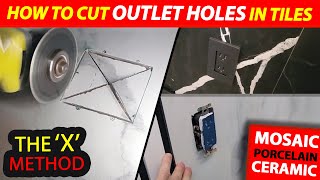
How to Cut OUTLETS in Tiles with 'X' Method - Cutting Electrical Outlet Hole in any Tile 💠
771 views
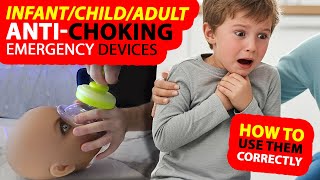
LifeVac Anti Choking Device Parents MUST OWN | Airway Suction Device to Save Infants, Kids & Adults
356 views
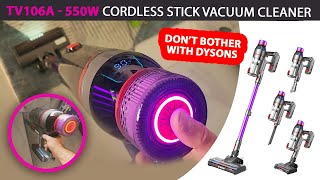
Dyson Clone Tested! 550W TV106A MQDXE Cordless Vacuum Review & Suction Test
5.0K views
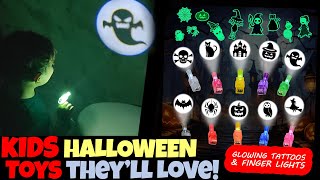
🎃 Kids Halloween Toys & Party Glow Lights! Fun Party Games, Tattoos & LED Finger Lights 👻
50 views
ON the GO Cordless Food Processor - NUNET Rechargeable Food Processor Review for Everyday Cooking
100 views
Can Your Home Air be Better? Morento Air Purifier & MORPTRA 16-in-1 Air Quality Monitor Review
149 views