
Recommend other podcasts to your podcast's fans
🛍️ Products Mentioned (2)
Share shows you love with your listeners! This tutorial walks you through setting up podcast recommendations in your Transistor dashboard and shows how they appear across different platforms. This feature is perfect for podcast creators looking to build community and cross-promote quality content with their audience. Timestamps: 0:00 - Introduction to podcast recommendations 0:36 - Accessing the promotion settings in Transistor 0:50 - Adding recommended podcasts to your dashboard 1:27 - Viewing recommendations on your podcast website 1:56 - Adding recommendation links to your show notes 2:39 - How recommendations appear in Pocket Casts 3:15 - Viewing mutual recommendations in True Fans 3:25 - Feature availability and rollout to other themes 4:03 - Getting started with Transistor This feature is part of the Podcasting 2.0 initiative. Encourage your podcast app to add this feature! https://podcasting2.org/docs/guides/how-to-add-podcast-recommendations-with-podroll Try Transistor free for 14 days: https://transistor.fm/?via=youtube
🎬 More from Transistor podcasting

How to claim your show on Apple Podcasts Connect
60 views

Upload a video podcast to Apple Podcasts, YouTube, Spotify, RSS (first look at Transistor hosting)
377 views
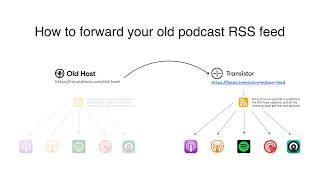
How to Redirect (Forward) Your Old Podcast RSS Feed When Switching Hosts
22 views

The history of video podcasts (Steve Jobs and Apple Podcasts) #videopodcast
1.2K views

How to Get Your Podcast on Spotify, Apple, YouTube & More (2026)
674 views

Create member-only podcasts with Ghost CMS and Transistor.fm
379 views