
New Feature: Add 3rd Party Tracking URLs to Transistor.fm Dynamic Ad Campaigns
🛍️ Products Mentioned (1)
We've added support for 3rd party tracking URLs and tracking pixels in your dynamic ad campaigns. In this video, Justin walks you through how to set it up step-by-step. You'll learn how to: 00:00:50 – Use analytics prefixes like Swap.fm 00:01:25 – Leverage placeholders (random number, timestamp, episode ID, and more) 00:02:14 – Add multiple trackers to a single ad This feature is available right now for Transistor.fm customers using dynamic ad campaigns. If you'd like it enabled for your account, reach out to our support team. 👉 Try it out today and optimize your podcast ad tracking! https://transistor.fm/?via=justin 📩 Have questions? Contact support at support@transistor.fm
🎬 More from Transistor podcasting

How to claim your show on Apple Podcasts Connect
60 views

Upload a video podcast to Apple Podcasts, YouTube, Spotify, RSS (first look at Transistor hosting)
377 views
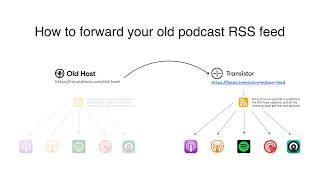
How to Redirect (Forward) Your Old Podcast RSS Feed When Switching Hosts
22 views

The history of video podcasts (Steve Jobs and Apple Podcasts) #videopodcast
1.2K views

How to Get Your Podcast on Spotify, Apple, YouTube & More (2026)
674 views

Create member-only podcasts with Ghost CMS and Transistor.fm
379 views