
How to share a podcast episode from a specific timestamp
🛍️ Products Mentioned (2)
Now, you can link to a specific part of your podcast episode and share it via SMS, Twitter, Facebook, Instagram, LinkedIn, and more! You can also insert timestamp (chapter) references in your show notes. When listeners click on those links, they will be taken to that part of your episode. 0:14 – How to share a podcast episode at a specific time or moment 0:35 – Share a URL with a timestamp via text message 0:44 – How timestamps in podcast show notes work 1:07 – How to create timestamps in your podcast show notes 1:30 – How timestamps work on your podcast website Try Transistor podcast hosting for free: https://transistor.fm/?via=youtube Build a free website for your podcast (with timestamps): https://freepodcastwebsites.com/?via=youtube
🎬 More from Transistor podcasting

How to claim your show on Apple Podcasts Connect
60 views

Upload a video podcast to Apple Podcasts, YouTube, Spotify, RSS (first look at Transistor hosting)
377 views
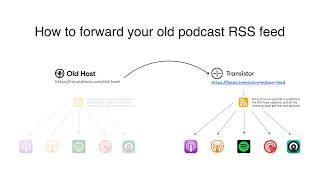
How to Redirect (Forward) Your Old Podcast RSS Feed When Switching Hosts
22 views

The history of video podcasts (Steve Jobs and Apple Podcasts) #videopodcast
1.2K views

How to Get Your Podcast on Spotify, Apple, YouTube & More (2026)
674 views

Create member-only podcasts with Ghost CMS and Transistor.fm
379 views