
How to set up GoDaddy domain for your website (DNS + forwarding naked domain)
🛍️ Products Mentioned (1)
If you're using Transistor's built-in podcast website feature, and you want to use a custom domain you've registered on GoDaddy, you'll need to edit your DNS settings and add a CNAME. Once that's done, you'll also need to forward the non-www version of your domain (the "naked" domain), to the www version. 0:00 How to connect your website to a custom domain on GoDaddy 0:40 Go to your podcast website settings 1:05 Edit your DNS settings in GoDaddy 1:24 Edit the CNAME record: add domains.transistor.fm 1:55 Wait for DNS settings to propagate 2:38 Forward non-www version to www version of your domain Looking to create a podcast website? Try Transistor for your podcast hosting: https://transistor.fm/?via=youtube
🎬 More from Transistor podcasting

How to claim your show on Apple Podcasts Connect
60 views

Upload a video podcast to Apple Podcasts, YouTube, Spotify, RSS (first look at Transistor hosting)
377 views
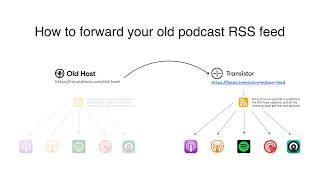
How to Redirect (Forward) Your Old Podcast RSS Feed When Switching Hosts
22 views

The history of video podcasts (Steve Jobs and Apple Podcasts) #videopodcast
1.2K views

How to Get Your Podcast on Spotify, Apple, YouTube & More (2026)
674 views

Create member-only podcasts with Ghost CMS and Transistor.fm
379 views