
How to Record a Podcast in Riverside and Publish to Spotify & Apple Podcasts via Transistor.fm
🛍️ Products Mentioned (1)
In this quick tutorial, I'll show you how to record, edit, and publish a podcast episode using Riverside.fm and Transistor. CHAPTERS: 0:00 - Introduction 0:23 - Recording in Riverside.fm 1:11 - Editing in Riverside's interface 1:54 - Exporting your episode (audio normalization) 2:30 - One-click export to Transistor 3:03 - Publishing to podcast platforms You'll learn: * How to record high-quality remote podcast interviews in Riverside * Simple editing techniques to remove filler words and silence * Exporting with audio normalization for consistent volume * Seamlessly publishing to Transistor.fm with one click * Getting your episode on Apple Podcasts, Spotify, Pocket Casts, and more Riverside.fm makes remote recording simple with separate audio tracks and built-in editing tools, while Transistor handles all your podcast distribution needs. Try Transistor free for 14 days: https://transistor.fm/?via=youtube
🎬 More from Transistor podcasting

How to claim your show on Apple Podcasts Connect
60 views

Upload a video podcast to Apple Podcasts, YouTube, Spotify, RSS (first look at Transistor hosting)
377 views
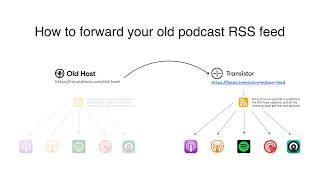
How to Redirect (Forward) Your Old Podcast RSS Feed When Switching Hosts
22 views

The history of video podcasts (Steve Jobs and Apple Podcasts) #videopodcast
1.2K views

How to Get Your Podcast on Spotify, Apple, YouTube & More (2026)
674 views

Create member-only podcasts with Ghost CMS and Transistor.fm
379 views