
How to fix low audio volume problem in Riverside.fm – boost sound level, make it louder
🛍️ Products Mentioned (4)
Here's a solution if you're having trouble making your microphone loud enough when recording your podcast in Riverside. 0:00 Fixing low input volume problems in Riverside 0:25 Volume indicator in Riverside 0:40 Check your gain level on your audio interface 1:12 Move your dynamic microphone closer to your face 1:48 Increase input volume in your Mac Sound Settings 2:15 Use Audio Hijack Pro to boost volume 3:00 Boost audio volume in your audio editing software Links: 🎤 Best podcasting mics: https://transistor.fm/how-to-start-a-podcast/ 🎚 Record your podcast in Riverside: https://riverside.fm/ 🎧 Host your podcast on Transistor: https://transistor.fm/?via=youtube 🔊 https://rogueamoeba.com/audiohijackpro/
🎬 More from Transistor podcasting

How to claim your show on Apple Podcasts Connect
60 views

Upload a video podcast to Apple Podcasts, YouTube, Spotify, RSS (first look at Transistor hosting)
377 views
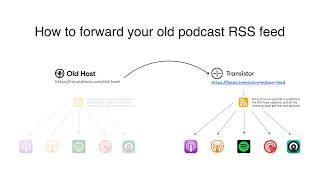
How to Redirect (Forward) Your Old Podcast RSS Feed When Switching Hosts
22 views

The history of video podcasts (Steve Jobs and Apple Podcasts) #videopodcast
1.2K views

How to Get Your Podcast on Spotify, Apple, YouTube & More (2026)
674 views

Create member-only podcasts with Ghost CMS and Transistor.fm
379 views