
How to edit a podcast in GarageBand on your iPad
🛍️ Products Mentioned (1)
Learn how to record, edit, export, and upload a podcast using GarageBand on your iPad. From setting up your recording and editing, to finally exporting and uploading your MP3 audio file to your chosen hosting provider, this video has got you covered. Learn how to create professional-sounding podcasts wherever you are, straight from your iPad. 00:00 - Introduction 00:05 - Starting your podcast recording on GarageBand 00:33 - Recording a segment in GarageBand 00:50 - Editing your podcast file in GarageBand 01:05 - Exporting your podcast file 01:22 - Choosing export quality 01:32 - Saving your podcast file on your iPad 01:57 - Uploading your podcast on Transistor 02:33 - Adding episode details and publishing on Transistor 03:01 - The magic of RSS feeds: Distribution to Apple podcasts, Google podcasts, and Spotify 03:13 - Conclusion and additional resources https://transistor.fm/?via=youtube
🎬 More from Transistor podcasting

How to claim your show on Apple Podcasts Connect
60 views

Upload a video podcast to Apple Podcasts, YouTube, Spotify, RSS (first look at Transistor hosting)
377 views
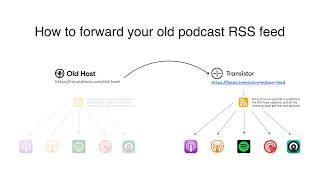
How to Redirect (Forward) Your Old Podcast RSS Feed When Switching Hosts
22 views

The history of video podcasts (Steve Jobs and Apple Podcasts) #videopodcast
1.2K views

How to Get Your Podcast on Spotify, Apple, YouTube & More (2026)
674 views

Create member-only podcasts with Ghost CMS and Transistor.fm
379 views