
How to create an audio clip video for a social media post
There are several 3rd-party apps you can use to create clips like this (then you can share them on Twitter, Facebook, or Instagram). Apps to try: Headliner.app (desktop) – this web app allows you to upload a clip, and will create an animated waveform for your audio. Overcast (iOS) – this podcast player allows you to select and export clips from your podcast. Castro (iOS) – another podcast app for iPhone that lets you share clips. Bullet (iOS) – "create & share captioned video segments of podcasts from any podcast app." Unfortunately, if you're on Android, your only option right now is to use Headliner on your desktop.
🎬 More from Transistor podcasting

How to claim your show on Apple Podcasts Connect
60 views

Upload a video podcast to Apple Podcasts, YouTube, Spotify, RSS (first look at Transistor hosting)
377 views
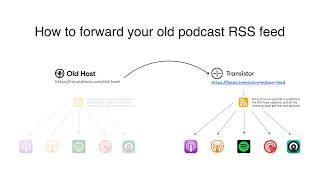
How to Redirect (Forward) Your Old Podcast RSS Feed When Switching Hosts
22 views

The history of video podcasts (Steve Jobs and Apple Podcasts) #videopodcast
1.2K views

How to Get Your Podcast on Spotify, Apple, YouTube & More (2026)
674 views

Create member-only podcasts with Ghost CMS and Transistor.fm
379 views