
How to create a new podcast on Transistor
🛍️ Products Mentioned (1)
If you're using Transistor as your podcast hosting provider, here's how to create a new show. On Transistor, you can create multiple podcasts from the same account! Once your show is created and you've published your first episode, you'll be able to submit it to Spotify, Apple Podcasts, Google Podcasts and more. 00:00 Introduction to creating a new show 00:11 How to host multiple podcasts on the same account 00:22 How to start a new podcast on your Transistor account 00:45 How to set up your show's settings 01:03 How to create podcast artwork and add it to your show 01:27 The difference between Episodic and Serial episode ordering 01:50 Choosing your podcast's category (primary and secondary) 02:04 Other settings: Author name, Owner name, Owner email 02:42 Now your podcast is set up and is ready for your first episode Want to try Transistor free for 14 days? https://transistor.fm/?via=youtube
🎬 More from Transistor podcasting

How to claim your show on Apple Podcasts Connect
60 views

Upload a video podcast to Apple Podcasts, YouTube, Spotify, RSS (first look at Transistor hosting)
377 views
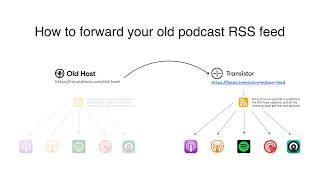
How to Redirect (Forward) Your Old Podcast RSS Feed When Switching Hosts
22 views

The history of video podcasts (Steve Jobs and Apple Podcasts) #videopodcast
1.2K views

How to Get Your Podcast on Spotify, Apple, YouTube & More (2026)
674 views

Create member-only podcasts with Ghost CMS and Transistor.fm
379 views