
How to convert video to audio MP3 for your podcast
🛍️ Products Mentioned (5)
Learn the easiest way to convert video files (MP4, MOV, AVI) to MP3 audio files on your iPhone, Mac, or PC! This is perfect if you want to turn a video from Zoom or your phone into an audio podcast episode. 0:20 Record video on iPhone and send to desktop 0:46 Method 1: Use MP3 converter application 1:25 Method 2: Upload video directly to podcast host (Transistor) 1:53 Method 3: Open video in video editing software, export as audio 2:47 Method 4: Use Descript software to generate audio file + transcript 3:41 Method 5: Open video file in Quicktime, and export as audio only 4:05 Method 6: Create Shortcut on your iPhone to convert video to audio 🖥️ Mac app: Video to MP3 converter https://apps.apple.com/ca/app/to-mp3-converter-free/id983472324?mt=12 🖥️ Mac app: Screenflow video editing software https://www.telestream.net/screenflow/ 🖥️ PC/Mac app: Descript audio/video editing software https://www.descript.com/ 📱 Apple Shortcuts for iPhone and iPad https://support.apple.com/en-ca/guide/shortcuts/welcome/ios 🎙️ Podcast hosting software https://transistor.fm/?via=youtube
🎬 More from Transistor podcasting

How to claim your show on Apple Podcasts Connect
60 views

Upload a video podcast to Apple Podcasts, YouTube, Spotify, RSS (first look at Transistor hosting)
377 views
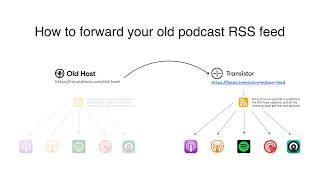
How to Redirect (Forward) Your Old Podcast RSS Feed When Switching Hosts
22 views

The history of video podcasts (Steve Jobs and Apple Podcasts) #videopodcast
1.2K views

How to Get Your Podcast on Spotify, Apple, YouTube & More (2026)
674 views

Create member-only podcasts with Ghost CMS and Transistor.fm
379 views