
Easy podcasting: how I find an idea, record, edit, distribute my podcasts to Spotify, Apple, YouTube
🛍️ Products Mentioned (4)
Starting a podcast is easier than you think. In this video, I'll show you my complete process for finding your podcast topic, getting a microphone, recording, and getting a show live on Spotify, Apple Podcasts, and YouTube. By the end of this video, you'll have everything you need to launch your own show. ⏱️ TIMESTAMPS 0:00 - Finding your podcast topic 0:49 - The "document your journey" framework 1:28 - Recording your first episode (equipment & software) 3:22 - Editing a podcast in Descript (like editing a Word doc) 4:18 - Creating podcast cover art in Canva 5:19 - Using a podcast host (Transistor.fm) 6:03 - Uploading your first episode 6:33 - Using AI transcription for show notes 7:38 - Setting up a trailer episode 8:17 - Distributing to Spotify, Apple Podcasts, and more 9:06 - Adding your podcast to YouTube 10:26 - Creating a free website for your show 11:03 - Final thoughts 🎙️ TOOLS MENTIONED Descript (recording & editing): https://www.descript.com Canva (cover art): https://www.canva.com Transistor (podcast hosting): https://transistor.fm PODCAST HOSTING WITH TRANSISTOR Transistor makes it simple to upload your podcast and distribute it everywhere people listen. Start as many shows as you want, get AI transcription, analytics, and a free podcast website—all in one place. Try Transistor free for 14 days: https://transistor.fm/?via=youtube
🎬 More from Transistor podcasting

How to claim your show on Apple Podcasts Connect
60 views

Upload a video podcast to Apple Podcasts, YouTube, Spotify, RSS (first look at Transistor hosting)
377 views
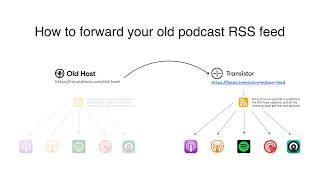
How to Redirect (Forward) Your Old Podcast RSS Feed When Switching Hosts
22 views

The history of video podcasts (Steve Jobs and Apple Podcasts) #videopodcast
1.2K views

How to Get Your Podcast on Spotify, Apple, YouTube & More (2026)
674 views

Create member-only podcasts with Ghost CMS and Transistor.fm
379 views