
Bluesky podcast comments and auto-posting
🛍️ Products Mentioned (1)
Transistor.fm just launched two exciting new features for Bluesky - automatic episode posting and comment integration for your podcast website! In this quick tutorial, I'll show you how these features work and how they can help you build a stronger connection with your podcast audience. TIMESTAMPS: 0:00 - Introduction to Bluesky integration 1:06 - Setting up auto-posting in Transistor 1:58 - Customizing your auto-post message 2:35 - Enabling Bluesky-powered comments 3:03 - Walkthrough: Publishing a new episode 3:45 - How the auto-post looks on Bluesky 4:14 - Comments & discussion features 5:13 - Live demo: Comments in action 6:09 - How to get started KEY FEATURES: - Automatic episode posting to Bluesky - Social preview images with episode titles - Comments sync between Bluesky and your podcast website - Built-in discussion features for audience engagement - Works with Transistor's free website builder This is a great way to promote your podcast episodes on Bluesky and interact with your podcast fans. Sign up and try Transistor podcast hosting free for 14 days https://transistor.fm/?via=youtube
🎬 More from Transistor podcasting

How to claim your show on Apple Podcasts Connect
60 views

Upload a video podcast to Apple Podcasts, YouTube, Spotify, RSS (first look at Transistor hosting)
377 views
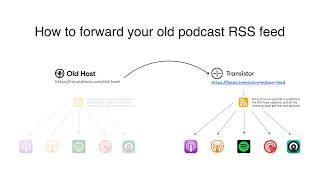
How to Redirect (Forward) Your Old Podcast RSS Feed When Switching Hosts
22 views

The history of video podcasts (Steve Jobs and Apple Podcasts) #videopodcast
1.2K views

How to Get Your Podcast on Spotify, Apple, YouTube & More (2026)
674 views

Create member-only podcasts with Ghost CMS and Transistor.fm
379 views