
Best way to start a video and audio podcast (and distribute to YouTube, Spotify, Apple)
🛍️ Products Mentioned (2)
If you want to create a video and audio podcast (and distribute it to all the listening platforms, plus YouTube for video), here's what you need to do: 1. For your audio podcast, upload it to a podcast hosting platform like https://transistor.fm/?via=youtube 2. For your video version, upload it to YouTube, and add it to a "Podcast Playlist." 3. On your podcast's website and episode pages link to both the audio version and the video version Want to know which microphone, camera, lights, mixer, and other recording gear to use for your podcast? Check out our guide: https://transistor.fm/how-to-start-a-podcast/?via=youtube Learn how to create a show, upload episodes (both audio and video), and submit the podcast to various platforms like Spotify, Apple Podcasts, and YouTube. 0:00 Introduction: how to make a podcast (video or audio) 0:30 What is a podcast hosting platform? (Use for audio) 0:55 Creating a new podcast 1:40 Upload audio podcast episode (for Apple, Spotify, etc) 2:02 Upload video podcast episode (to YouTube) 2:50 Submitting your podcast to listening apps (Apple Podcasts, Spotify, Pocket Casts, Amazon, etc) 3:20 Setting up a podcast website 3:58 How to create a podcast playlist on YouTube 4:33 Tracking podcast stats 5:56 How to do an audio and video podcast at th 6:38 Additional resources for podcasting gear and techniques Video editing by @PhreeagentCreativeMedia
🎬 More from Transistor podcasting

How to claim your show on Apple Podcasts Connect
60 views

Upload a video podcast to Apple Podcasts, YouTube, Spotify, RSS (first look at Transistor hosting)
377 views
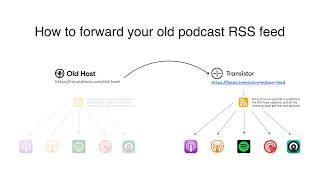
How to Redirect (Forward) Your Old Podcast RSS Feed When Switching Hosts
22 views

The history of video podcasts (Steve Jobs and Apple Podcasts) #videopodcast
1.2K views

How to Get Your Podcast on Spotify, Apple, YouTube & More (2026)
674 views

Create member-only podcasts with Ghost CMS and Transistor.fm
379 views